

01
Command on the RS-Systems ribbon
The Navisworks Clashes command is available on the RS-Systems tab and opens the working panel without leaving the active Revit model.
Open a Navisworks HTML clash report directly in Revit, filter clashes by status, set coordinates, isolate involved elements and resolve remarks without constantly switching applications.
The page below shows the actual Revit.ClashViewer interface: where the command is launched, how the report is filtered, which columns are displayed and how coordinates and isolation are controlled.
The Navisworks Clashes command is available on the RS-Systems tab and opens the working panel without leaving the active Revit model.
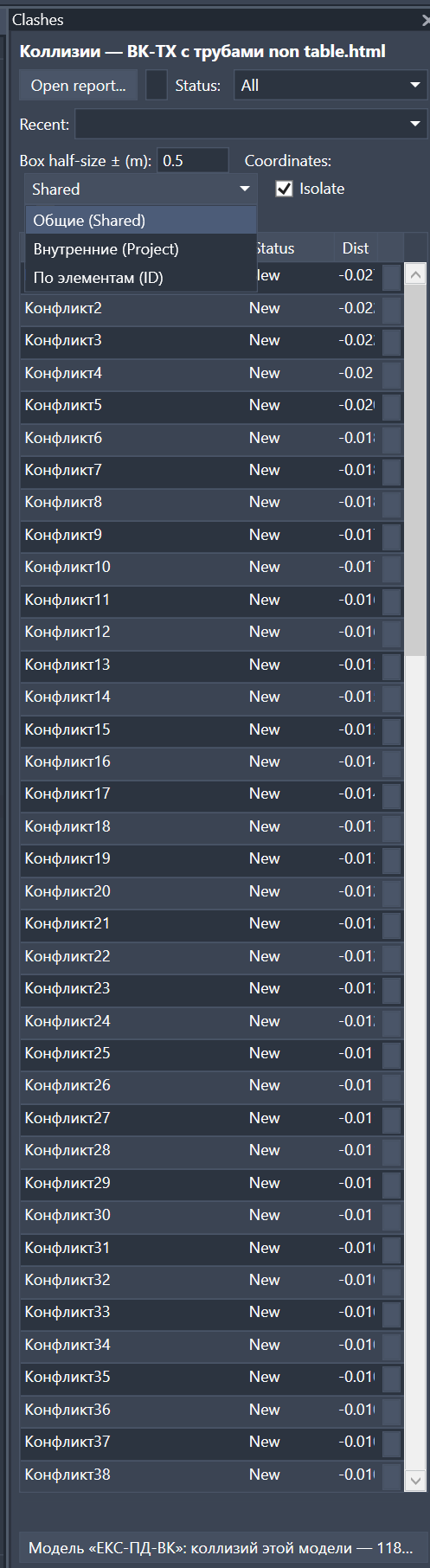
Open an HTML report, return to recent reports, filter by status, set the search cube, choose coordinates, enable isolation and review the clash table in one panel.
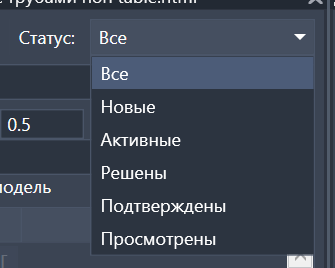
Display all, new, active, resolved, approved or reviewed clashes so the designer can focus on the issues that still require action.
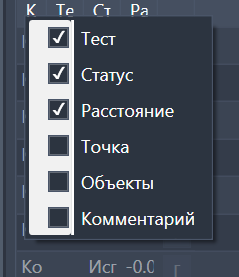
Show only the fields needed for the current task: test, status, distance, point, objects and comment.
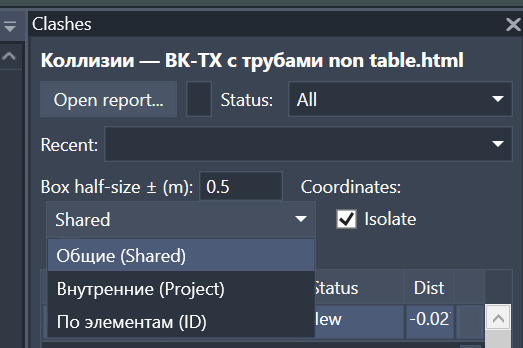
Switch coordinate mode, isolate the involved elements and limit processing to the current model when the report contains linked disciplines.
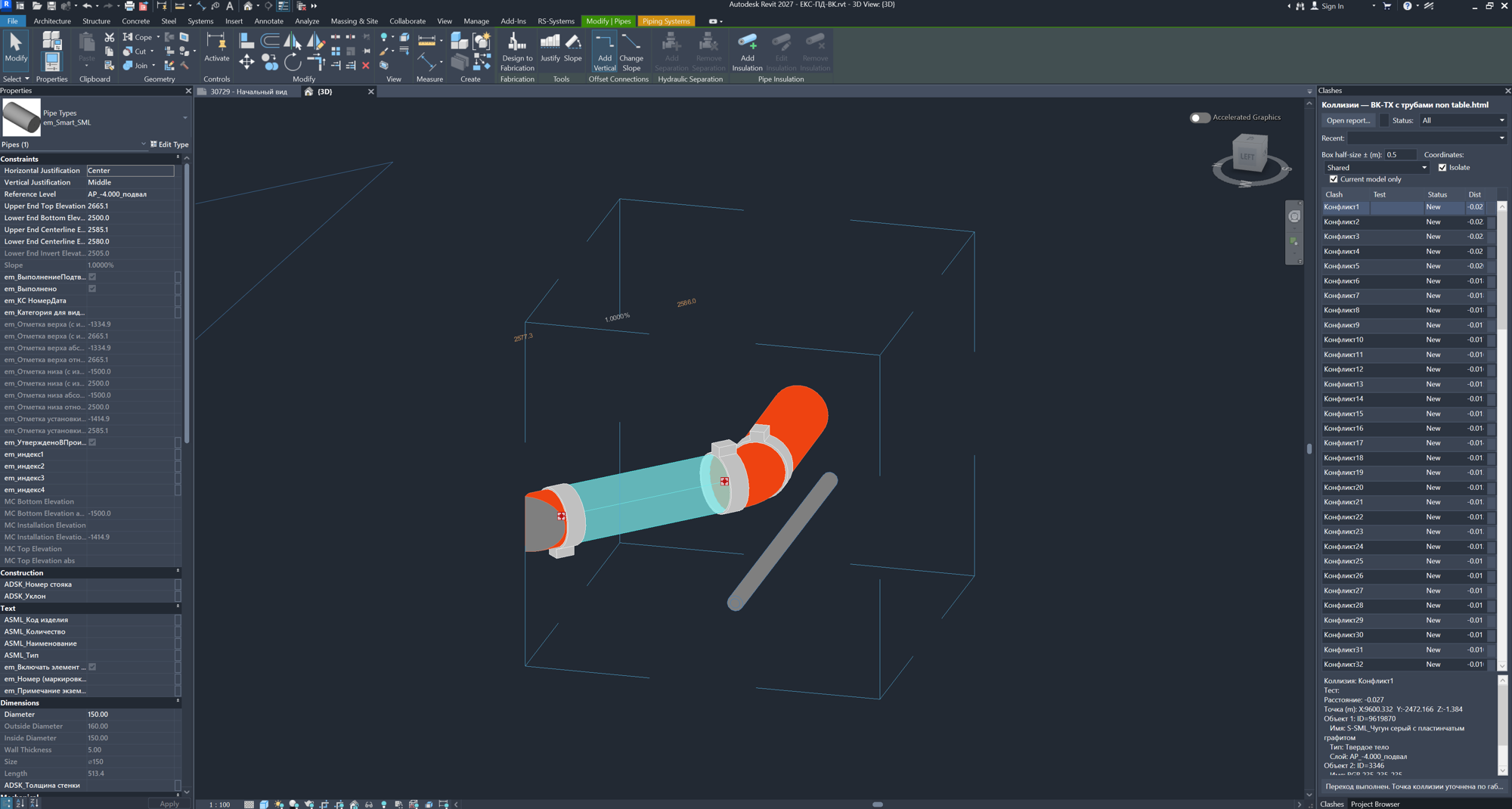
Isolate the elements from a clash directly in the Revit model, inspect their parameters in the Properties palette and correct them in the authoring model.
Navisworks is good for clash detection, but the actual fixes are usually made by the model author in Revit. Revit.ClashViewer closes that gap: the BIM coordinator sends an HTML report and the designer opens it inside the working model.
The clash list stays in the Revit panel, so the user does not need to reopen Navisworks for every issue.
Status filters separate new, active, resolved, approved and reviewed clashes.
Open the report, select a clash, check the elements in the model, fix the problem and move to the next issue.
Download the MSI, close Revit, run the installer and finish setup.
Start Revit, open the model and choose the Navisworks clash report command on the RS-Systems tab.
Filter by status, tune coordinates and isolation, then move through clash rows and fix elements in the authoring model.