
01
Extended project tree
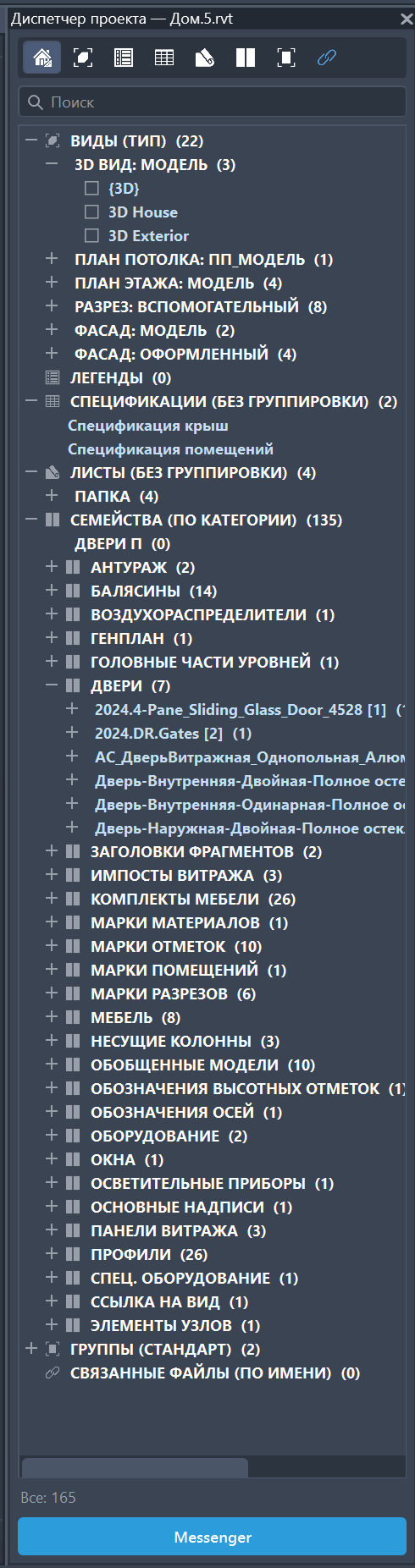
Views, sheets, schedules, families and groups appear in a searchable tree that stays readable even in large models.
Find views, sheets, schedules, families and groups faster, tune the project tree appearance and save presets for yourself or the whole model.
The screenshots below show the actual Revit.ProjectBrowser panel: the extended tree, the context menu, appearance settings and saved presets.
Views, sheets, schedules, families and groups appear in a searchable tree that stays readable even in large models.
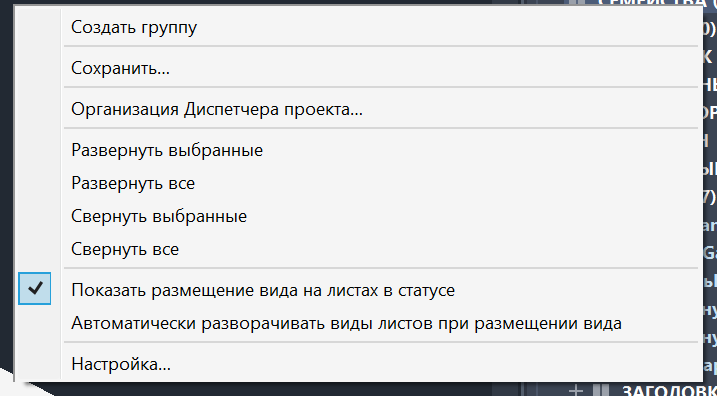
Right-click actions cover the everyday operations needed while navigating and managing the project tree.
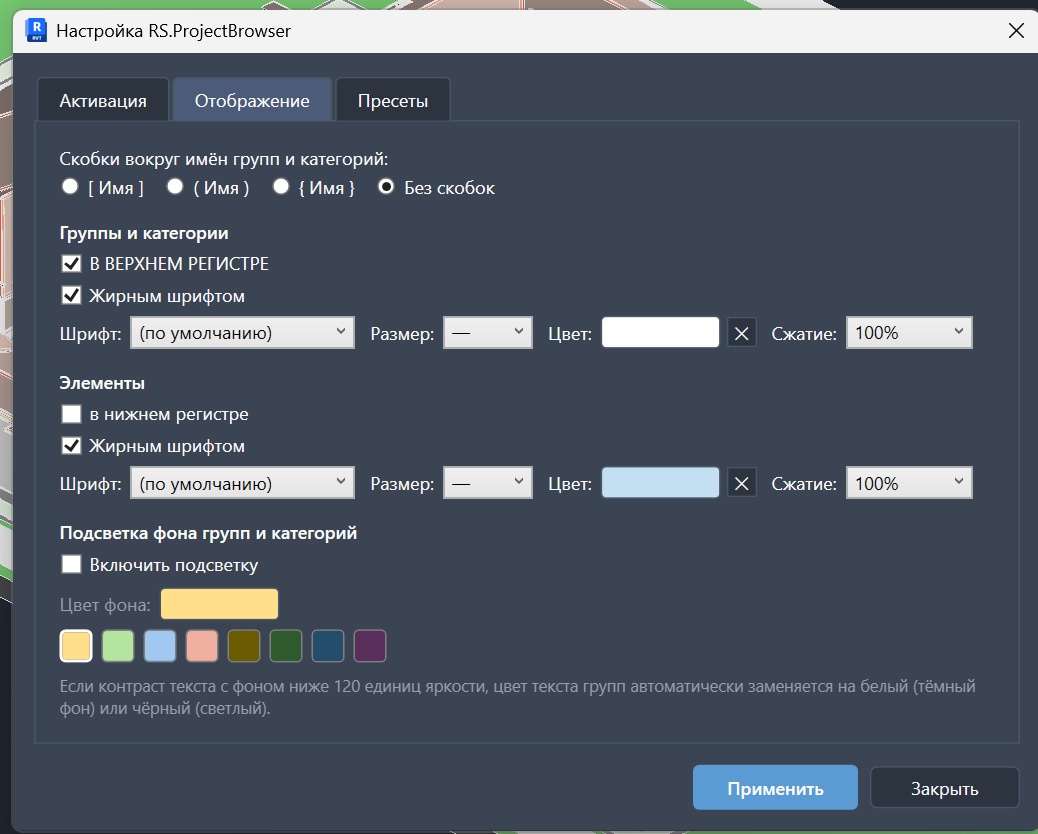
Configure case, weight, colour and highlighting so the tree matches the way your team reads the project.
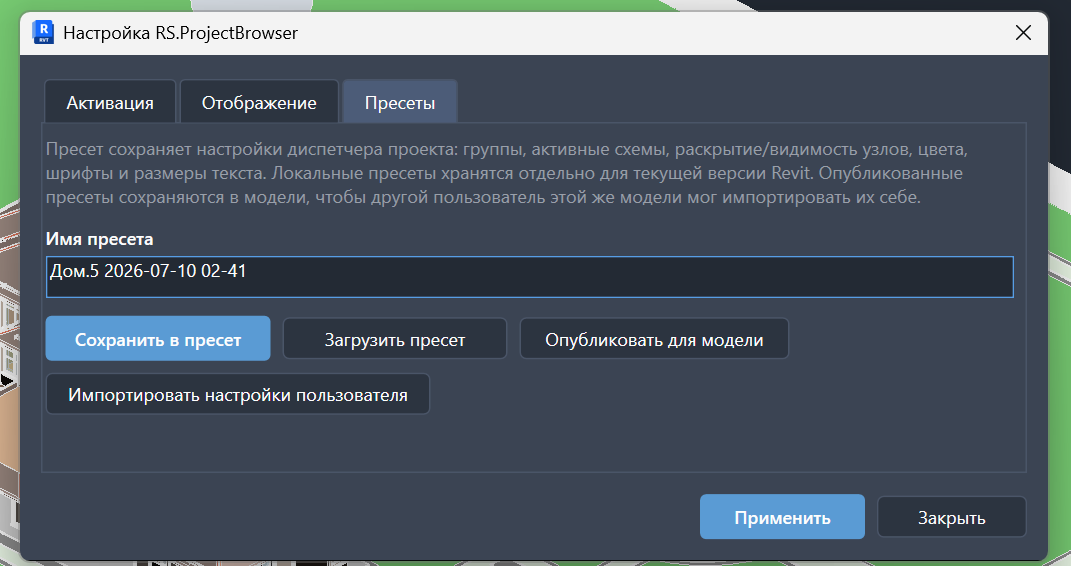
Save personal or model presets and publish a shared view of the tree for the whole team.
In small projects the standard Project Browser is fine. In models with dozens of views, hundreds of families, sheets, schedules and groups, navigation turns into constant scrolling.
Search helps jump directly to a view, sheet, schedule, family or group.
Configure case, weight, color, brackets, size and background highlighting.
Presets can be saved and published for the model so the team sees the project consistently.
Download the MSI, close Revit and complete setup.
Open the model and run the browser command from the RS-Systems tab.
Use search, formatting settings and presets for your workflow.