License API · 99.98%
Revit.LinkedModels
Linked models· Revit 2021–2027 ·Full version 1.1.23

Revit.LinkedModels

Manage local, Revit Server and cloud links in one controlled batch workflow.

$150 Trial 90 days · 0 reviews
Leave a review Reviews are moderated before publication. Registration is not required.
Your rating
WHAT'S NEW

RS.LinkedModels

Version history

1.1.23 | 20.09.2026

Fixes

  • The RS Tools panel on the Modify tab appears only when Revit links are selected and is hidden in the Family Editor.
  • Fixed the panel reappearing after changes to the view, document or editing context; duplicate panel instances are removed.
  • Selection checks now account for the active document. Deleted elements no longer leave the panel in an incorrect state.

1.1.19 | 18.09.2026

  • “Update from…” now searches the selected folder and all subfolders for any number of selected links, ignores Revit *_backup folders, reports ambiguous matches and can apply the found paths immediately.
  • A new duplicate-link checker finds repeated files, copies with the same name in different folders, extra instances and nested duplicates; they can be reviewed, removed or redirected. Nested links are shown for review only and must be managed through their parent link.
  • When Revit links are selected, Link Manager is available from the contextual Modify tab and opens with those links already selected.

1.1.18 | 10.09.2026

  • Windows now use the application icon. F1 help is available on the ribbon button and opens the English product page.
  • The update window, messages, status bar and license tab are translated into the supported Revit interface languages.

1.1.12 | 27.08.2026

  • New links are placed by shared coordinates when possible, and the Site column lets you see and apply shared sites.

1.1.9 | 24.08.2026

  • “Update from…” is clearer, preserves the resulting selection, recovers links on closed worksets and remembers the window layout.
  • Broken relative link paths are repaired automatically.

DESCRIPTION

Revit.LinkedModels

When there are many linked models, the standard Revit dialog is no longer enough

Collect, inspect and synchronize linked RVT files from local folders, Revit Server and ACC. One window shows source files, model links, worksets and actions for loading related information.

  • Local folders, Revit Server, ACC and current-model links are handled in one working panel.
  • Works with local folders, Revit Server and ACC.
  • Navigate ACC hubs, projects and folders to find and link cloud-hosted models alongside local and server sources.
  • A dedicated tab helps open or close worksets in linked files to avoid loading unnecessary geometry.
  • Check the file list and run the required link or workset operation.

The standard Manage Links dialog works for the open model, but large projects often need faster collection, inspection and batch actions across several file sources.

Interface walkthrough

The RS-Systems ribbon and every linked-model source

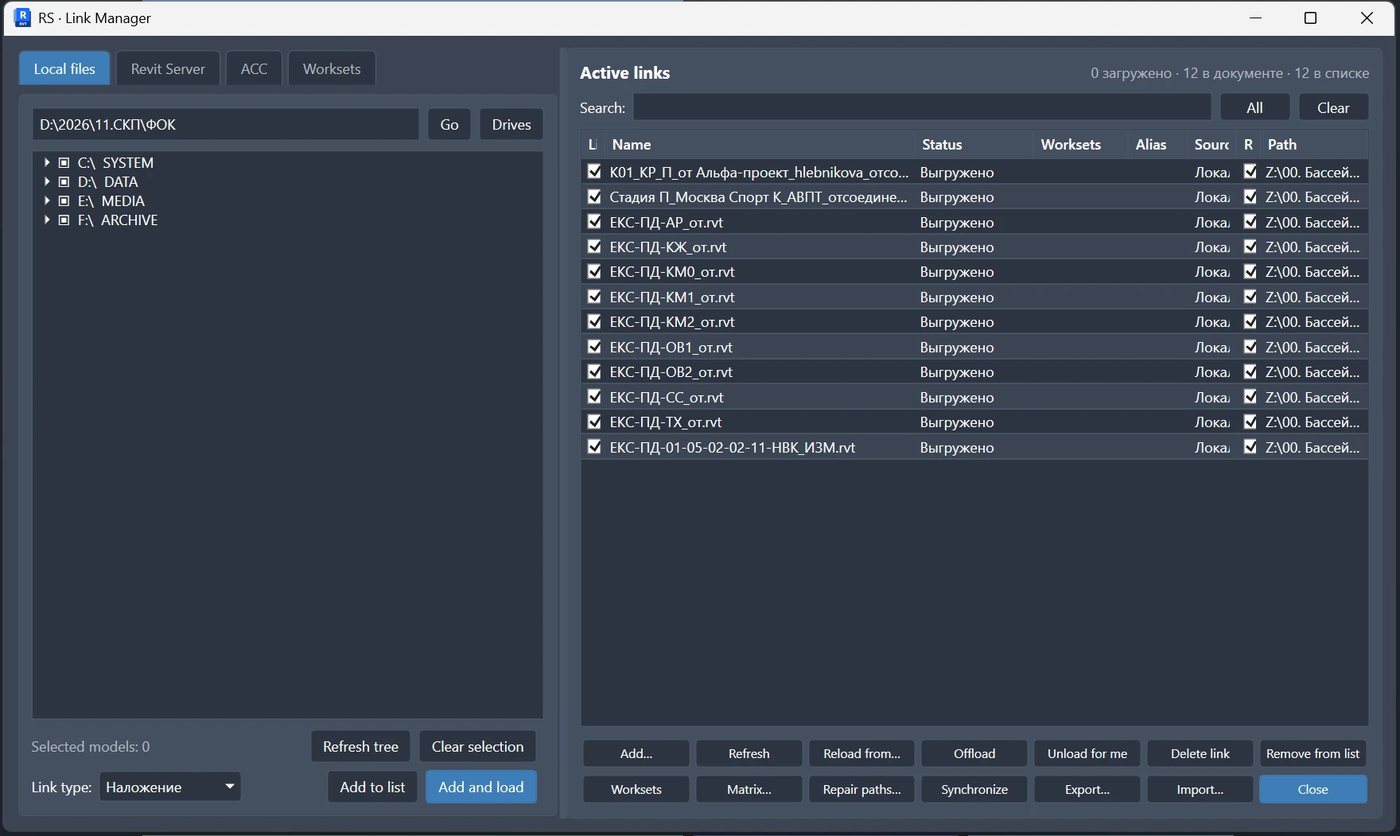
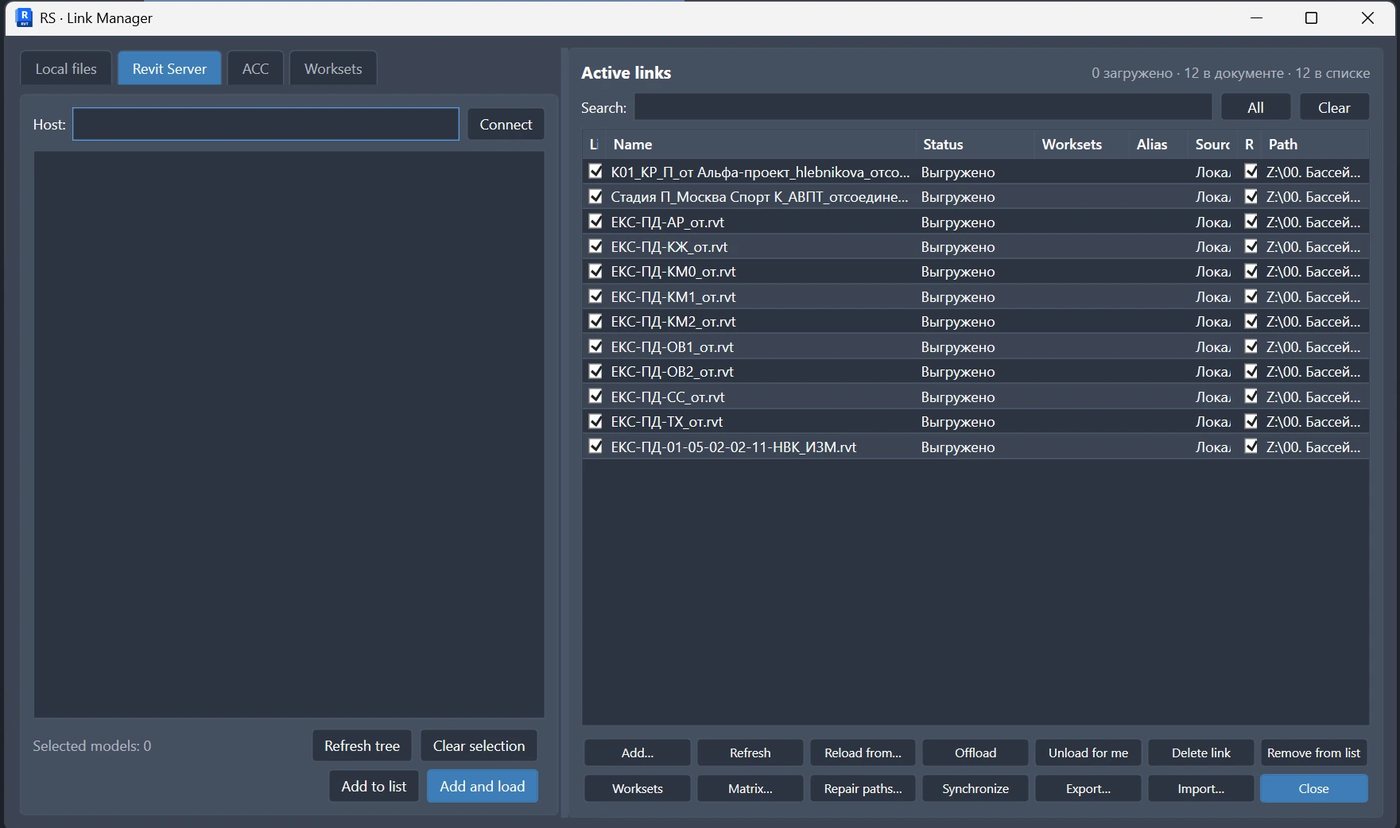
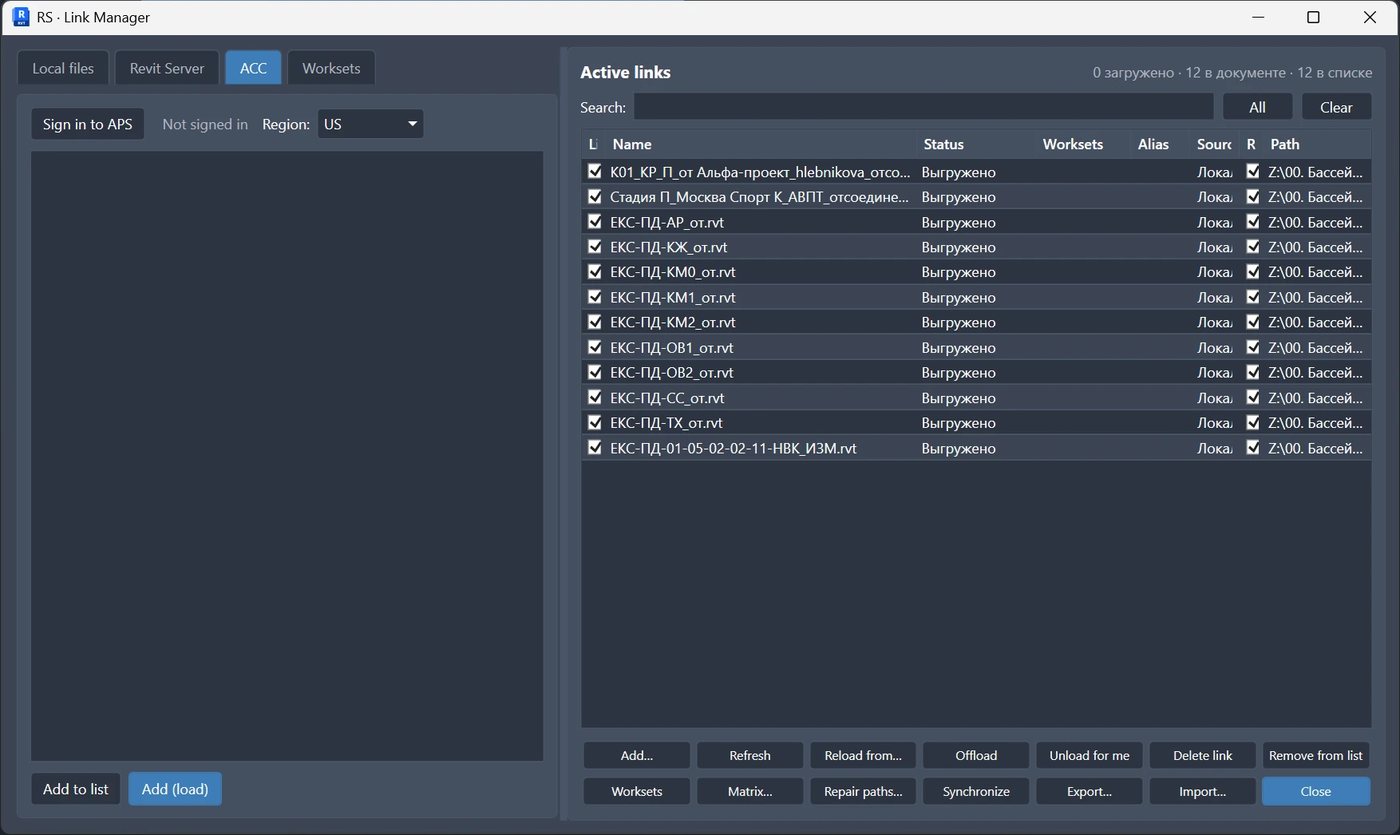
The screenshots below show the actual Revit.LinkedModels manager: the RS-Systems ribbon and the Local files, Revit Server and ACC tabs in one window.

01 Command on the RS-Systems ribbon

Link Manager opens from the RS-Systems tab and gathers every linked-model source in one window without leaving the active model.

02 Local folders

Point the panel at a local folder to list its RVT files with sizes and paths, then select the models to link.

03 Revit Server models

Browse models published on Revit Server and add the ones you need as links without leaving the session.

04 Autodesk Construction Cloud

Navigate ACC hubs, projects and folders to find and link cloud-hosted models alongside local and server sources.

Why it is needed

When there are many linked models, the standard Revit dialog is no longer enough

The standard Manage Links dialog works for the open model, but large projects often need faster collection, inspection and batch actions across several file sources.

How to use

Basic working scenario

Install

Download the MSI, close Revit and complete setup.

Choose source

Open a local folder, Revit Server, ACC or the linked worksets tab.

Synchronize

Check the file list and run the required link or workset operation.

Licensing

Unified purchase, trial and activation flow