संस्करण इतिहास
इस पृष्ठ पर अभी कोई संस्करण इतिहास प्रकाशित नहीं है।
Autodesk 3ds Max में flat और curved mesh surfaces पर वास्तविक 3D brick, tile, parquet और paving geometry बनाएँ।
इस पृष्ठ पर अभी कोई संस्करण इतिहास प्रकाशित नहीं है।
18दिखाए गए layouts
4पैटर्न परिवार
3Dवास्तविक joints, relief और edges
2021–20273ds Max 2021–2027
चार मिनट का प्रदर्शन
प्रदर्शन एक साधारण mesh से शुरू होता है और दिखाता है कि चुना गया पैटर्न editable geometry में कैसे बदलता है, relief और material zones कैसे प्राप्त करता है और standard modifier stack के साथ compatible रहता है।
3ds Max के अंदर पूरा modifier workflow देखें।
01
साफ़ object से शुरू करें और source mesh को नष्ट किए बिना BricksPattern जोड़ें।
02
masonry, parquet, paving और custom layouts के बीच बदलें, फिर तत्वों के वास्तविक dimensions तय करें।
03
परिणाम तुरंत देखते हुए grout width, element height, bevel और random variation नियंत्रित करें।
04
बने हुए Material IDs का उपयोग करें और BricksPattern को Bend, selection तथा अन्य standard 3ds Max modifiers के साथ मिलाएँ।
Geometry क्यों महत्वपूर्ण है
Texture joint का आभास दे सकता है; BricksPattern उसे वास्तविक geometry में बनाता है। परिणाम grazing light, reflections, silhouettes और नज़दीकी camera positions में भी स्पष्ट रहता है।
▱
वास्तविक edges baked relief map पर निर्भर हुए बिना physically correct highlights, contact shadows और ambient occlusion बनाते हैं।
⌁
Modifier object surface का अनुसरण करता है, इसलिए वही pattern columns, curved walls और shaped architectural elements पर भी wrap हो सकता है।
#
Seed-based random controls प्राकृतिक अनियमितता जोड़ते हैं और revisions के बीच परिणाम को दोहराने योग्य रखते हैं।
ID
ईंटों, accent elements और grout के अलग IDs सीधे Multi/Sub-Object material workflow से जुड़ते हैं।
Geometry में pattern library
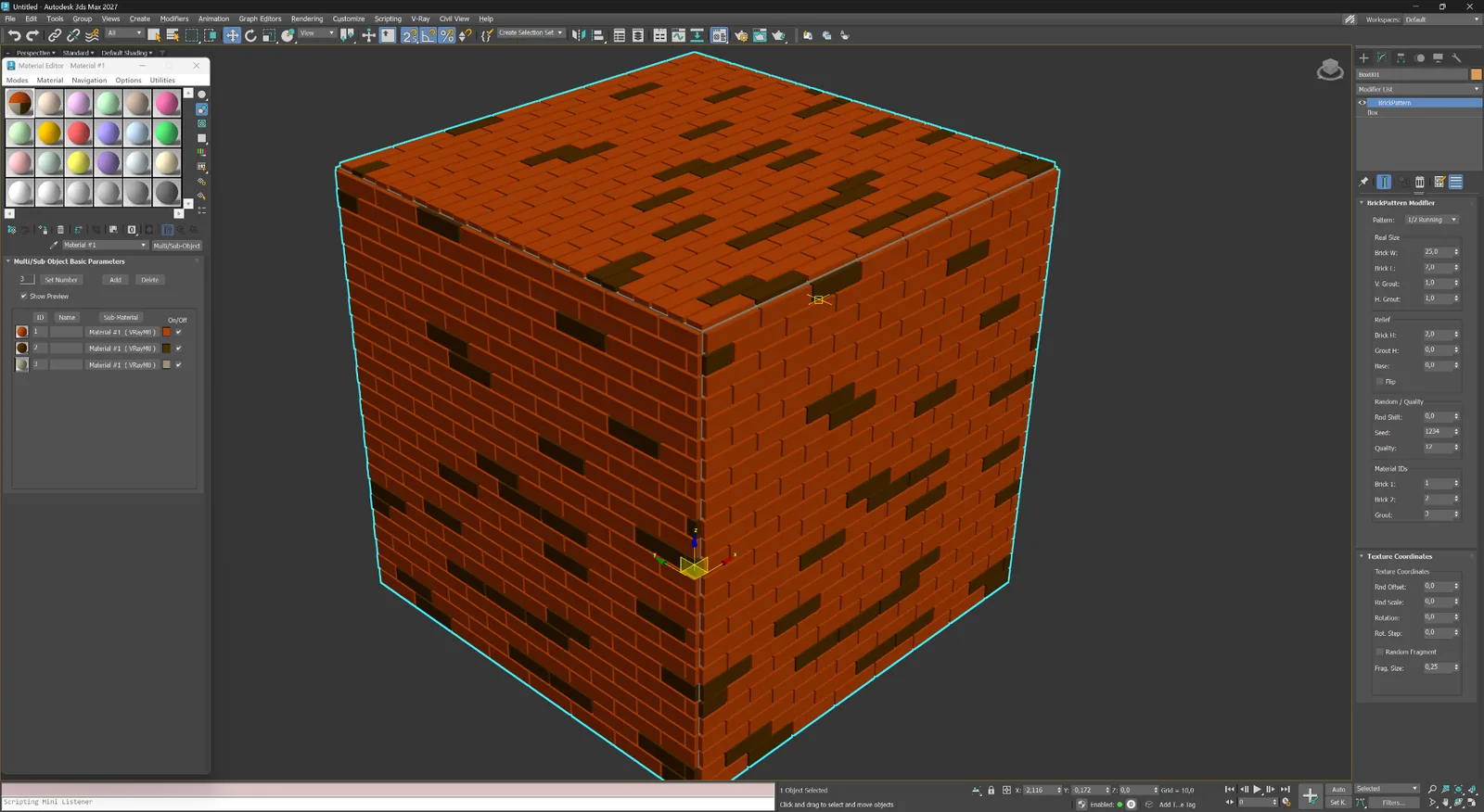
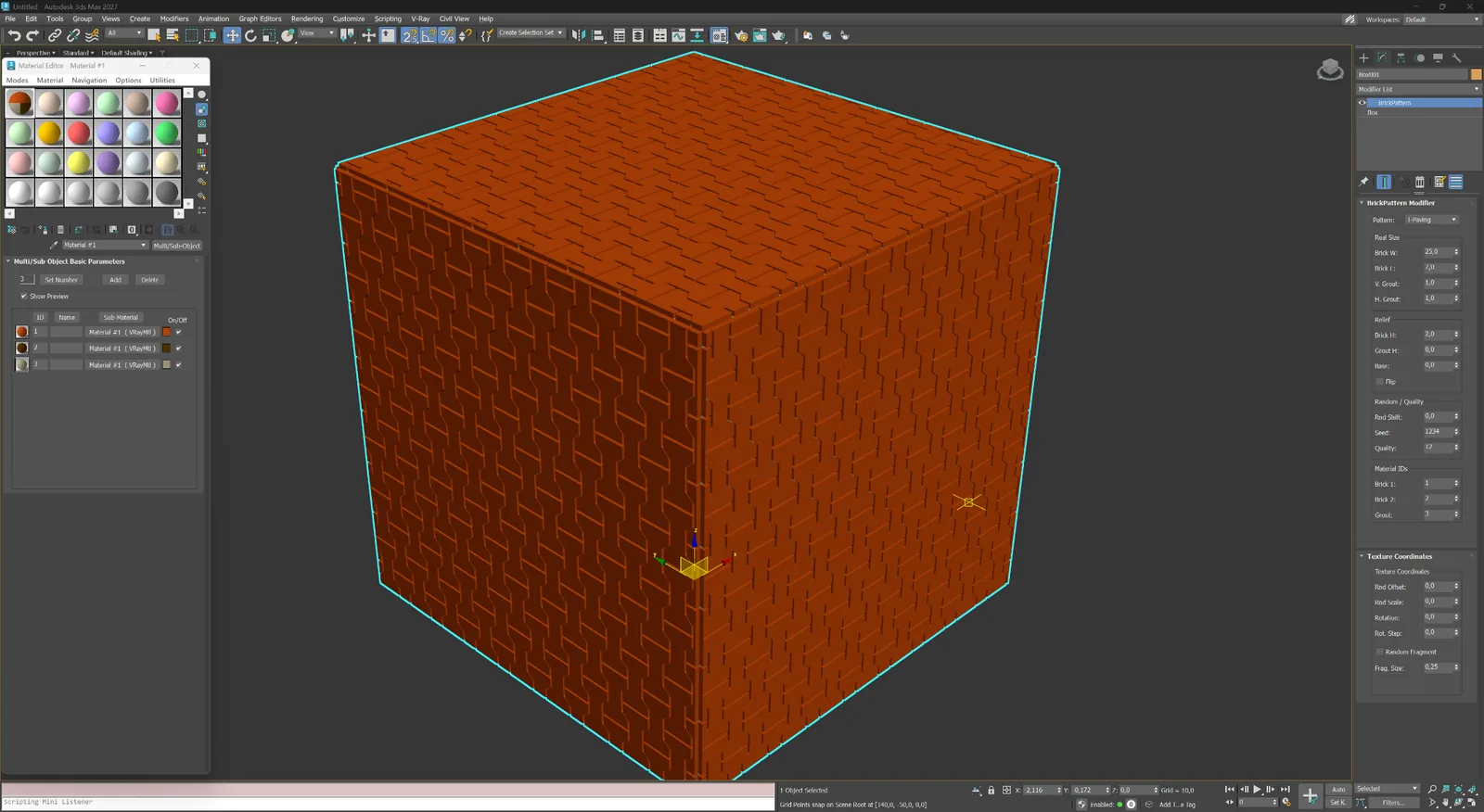
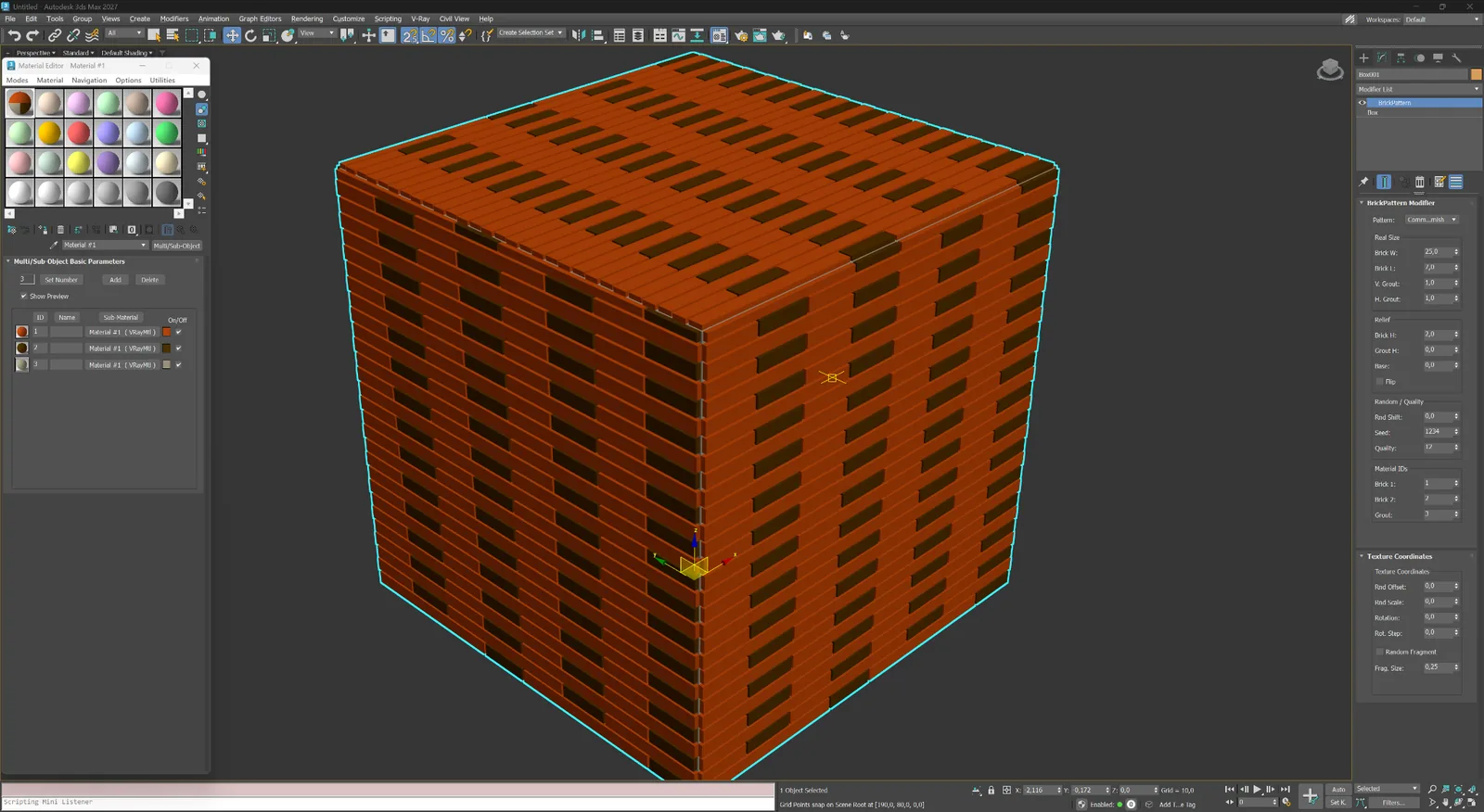
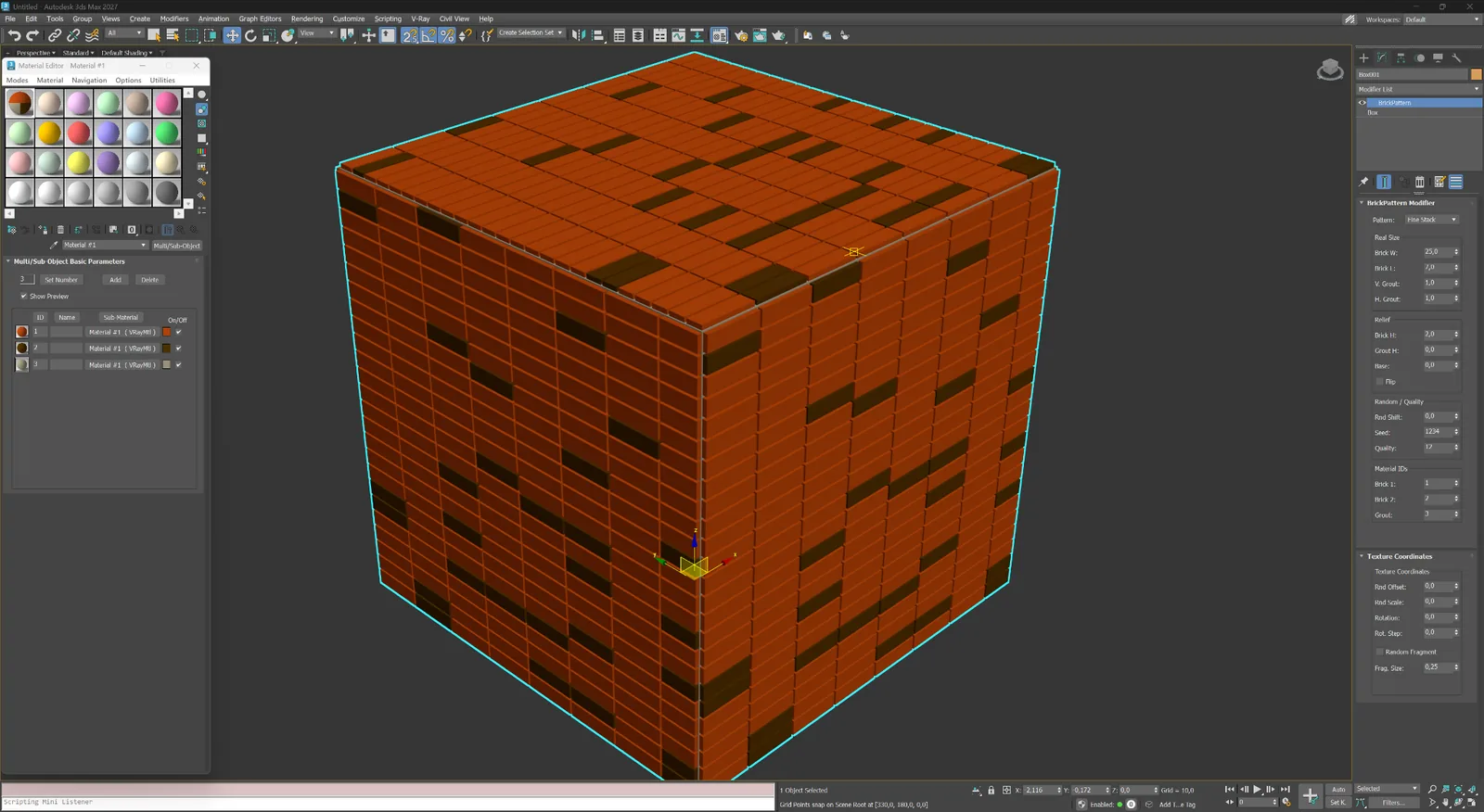
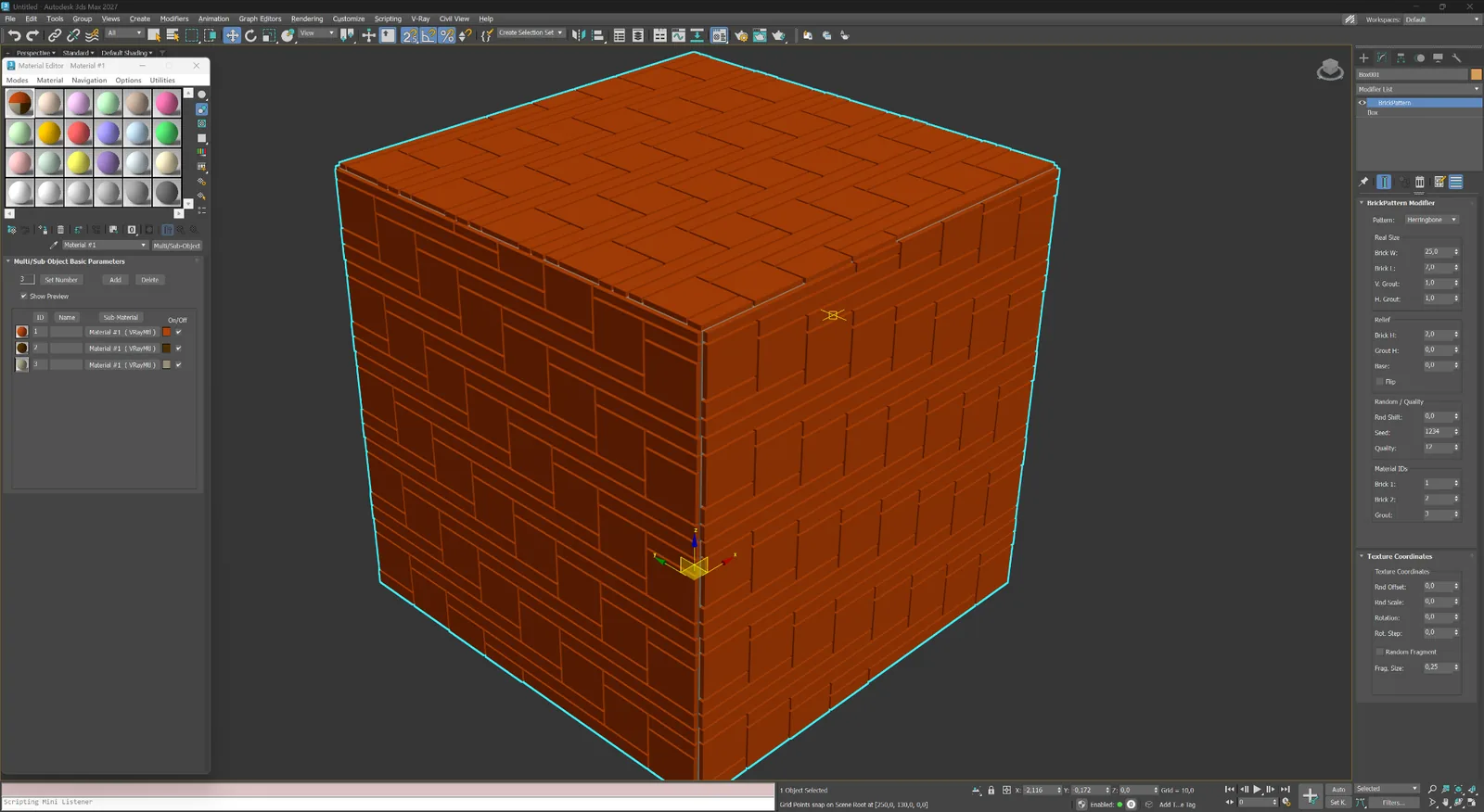
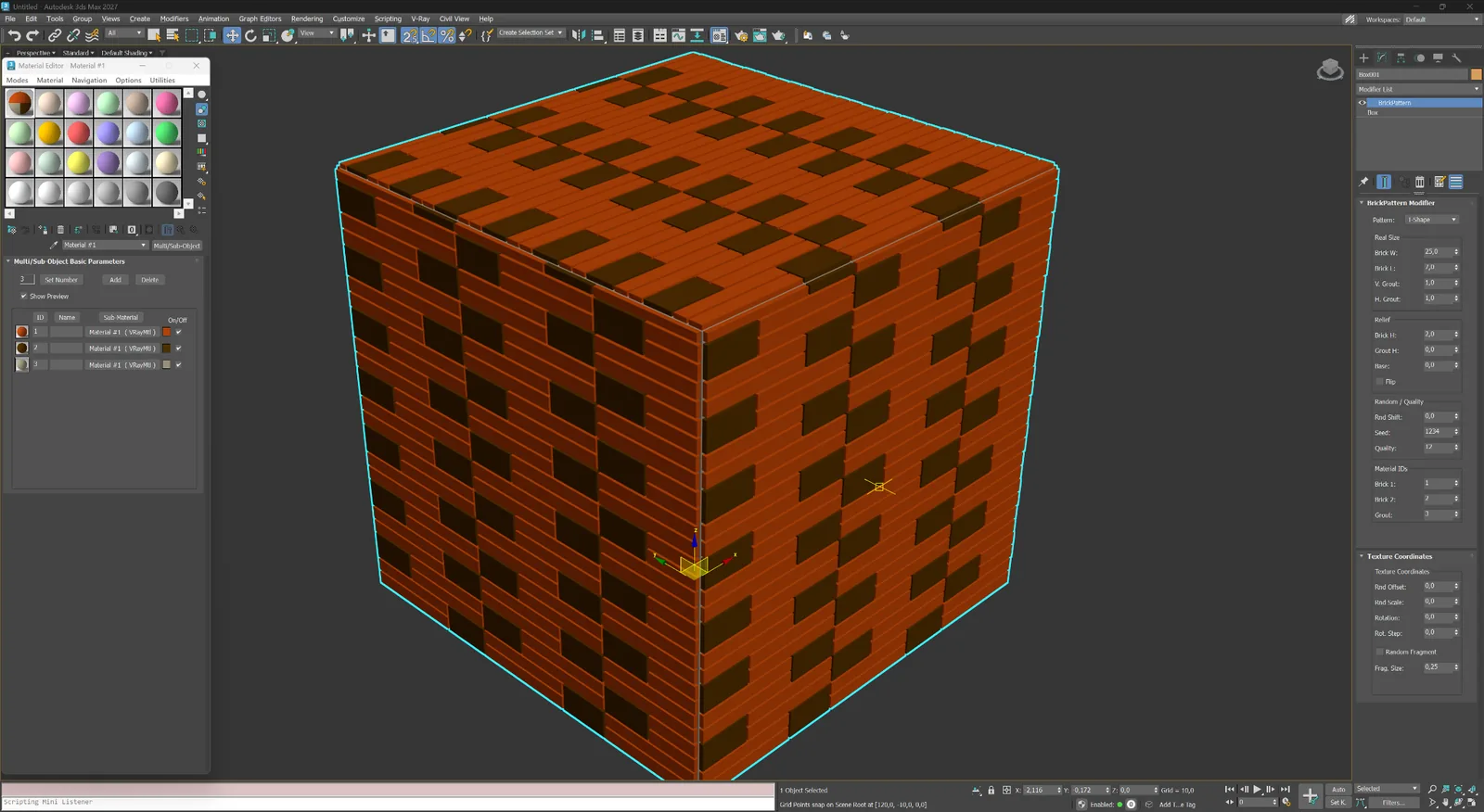
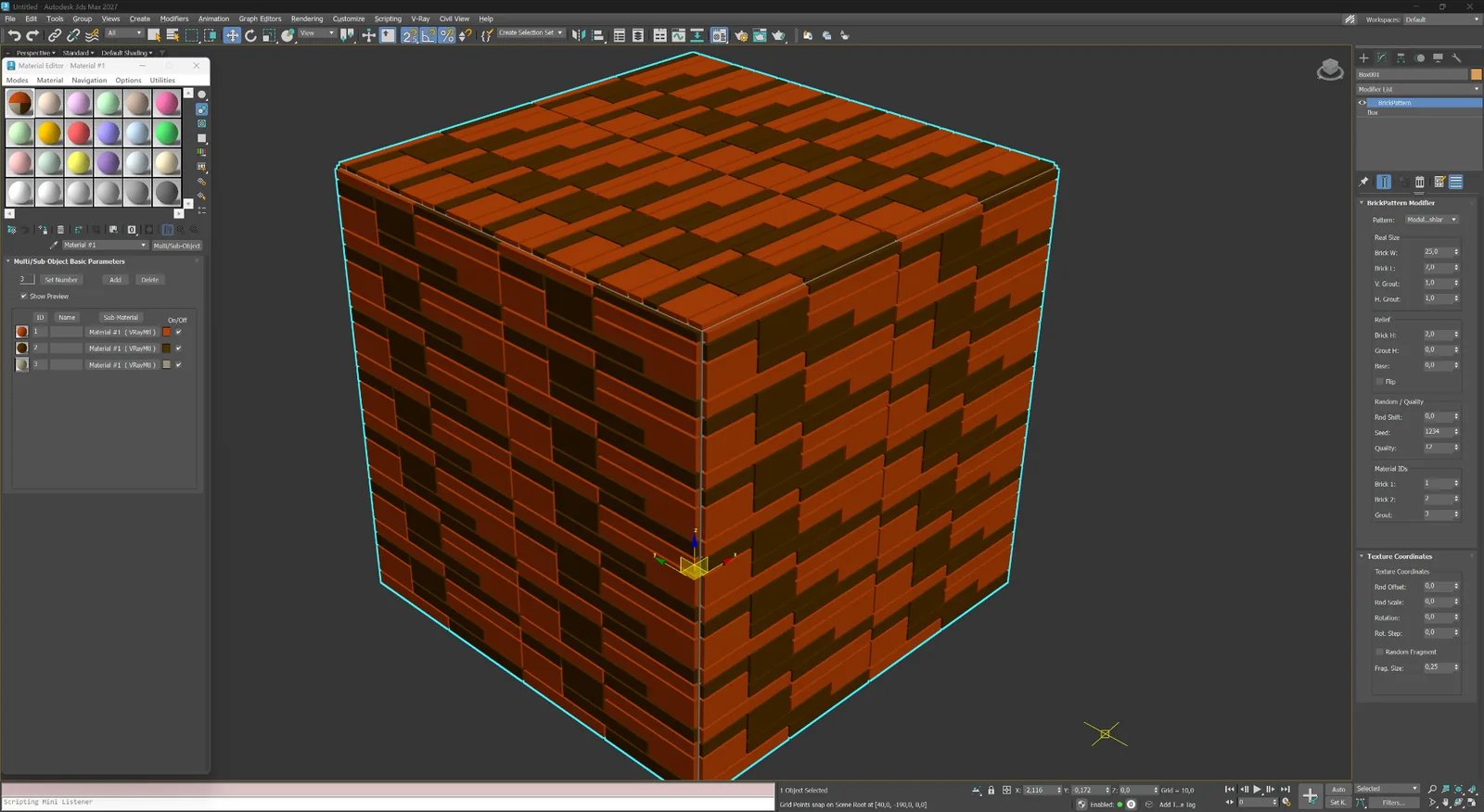
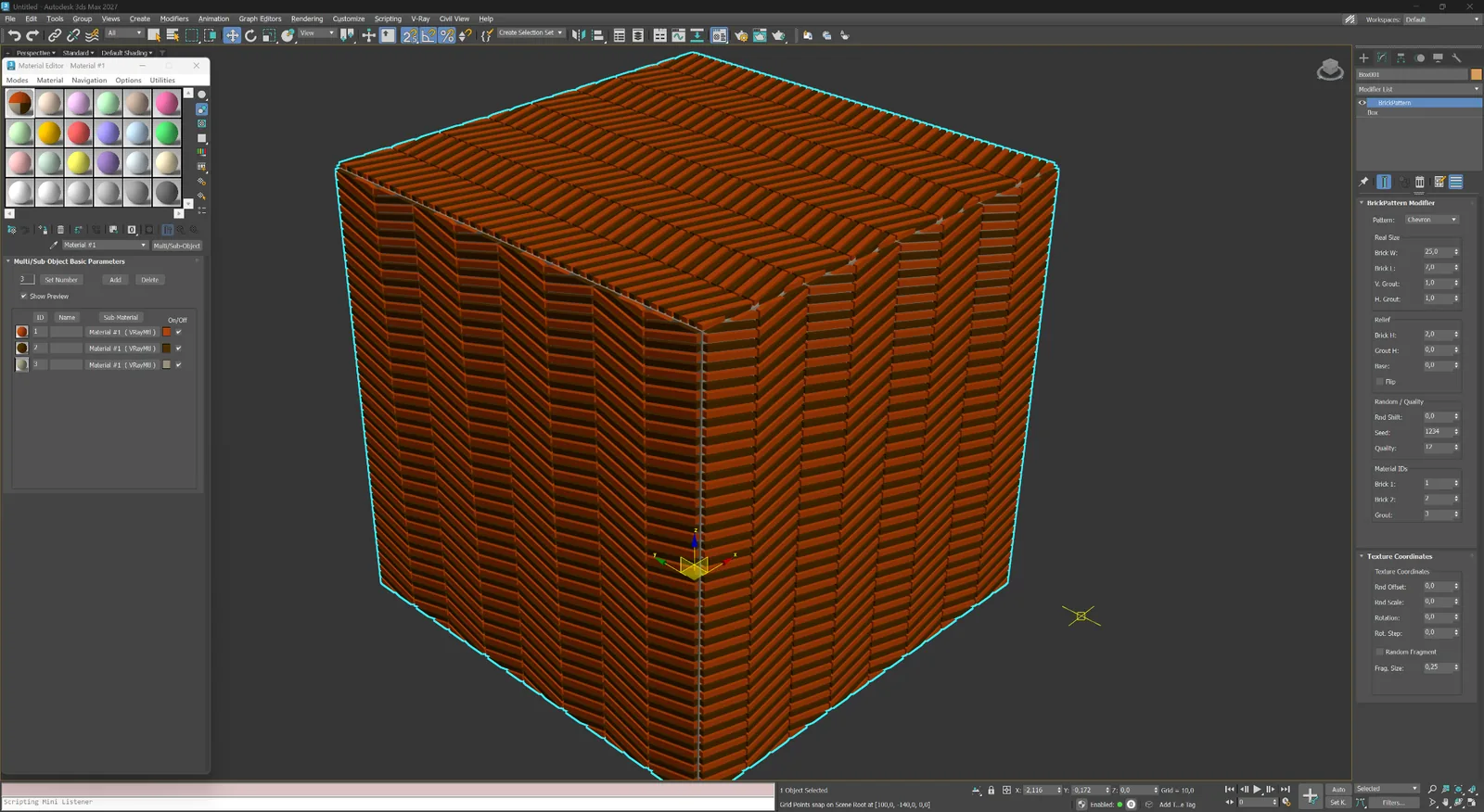
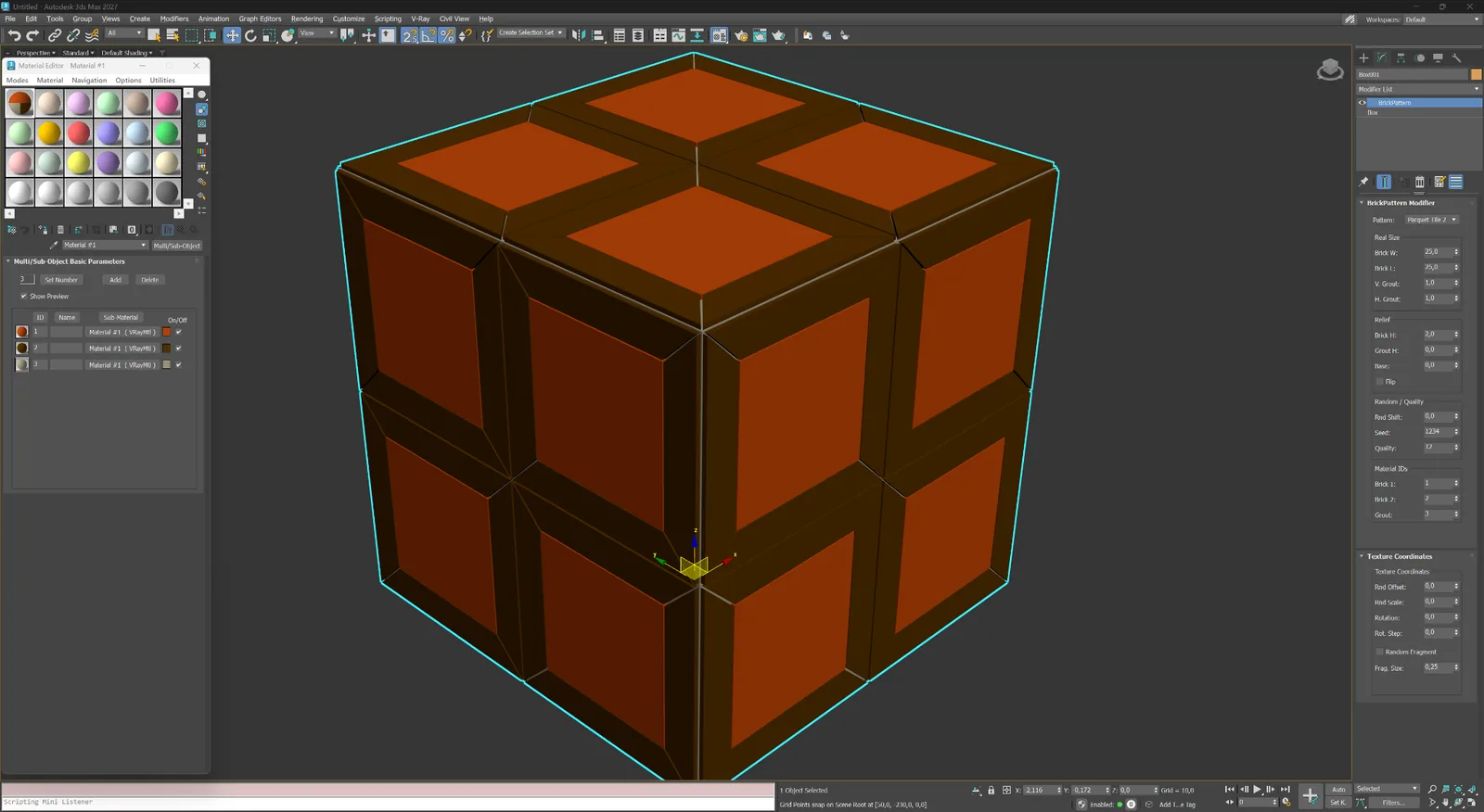
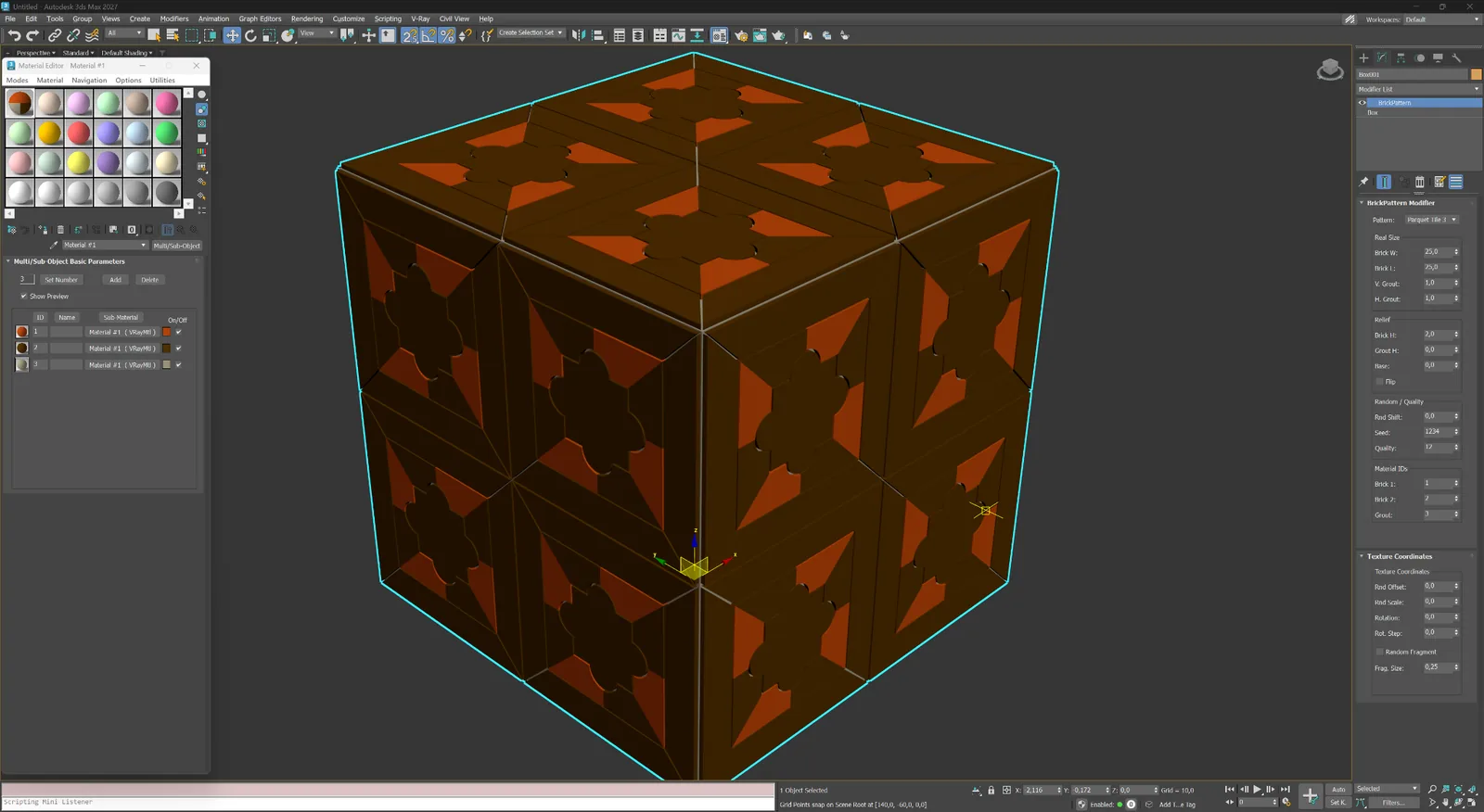
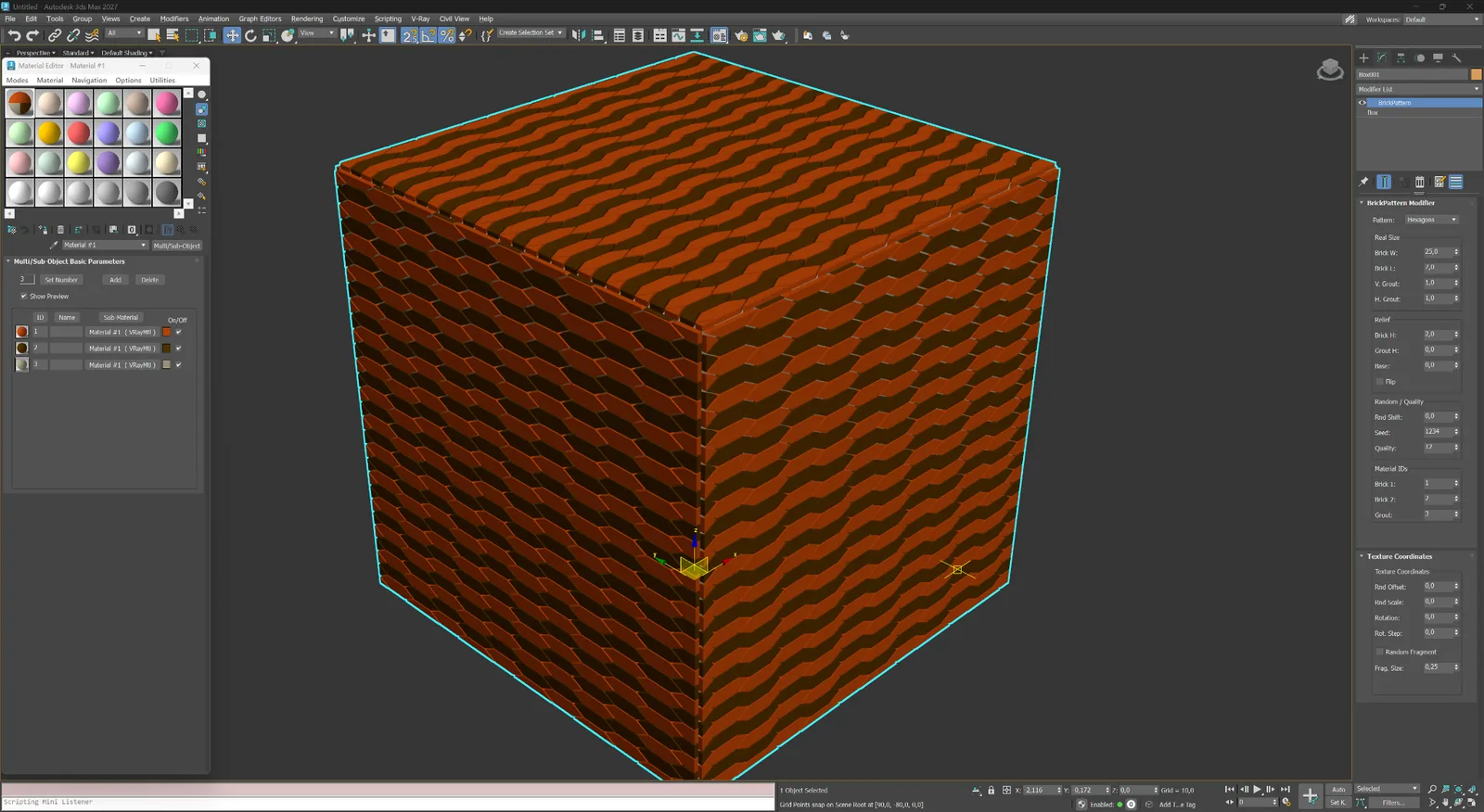
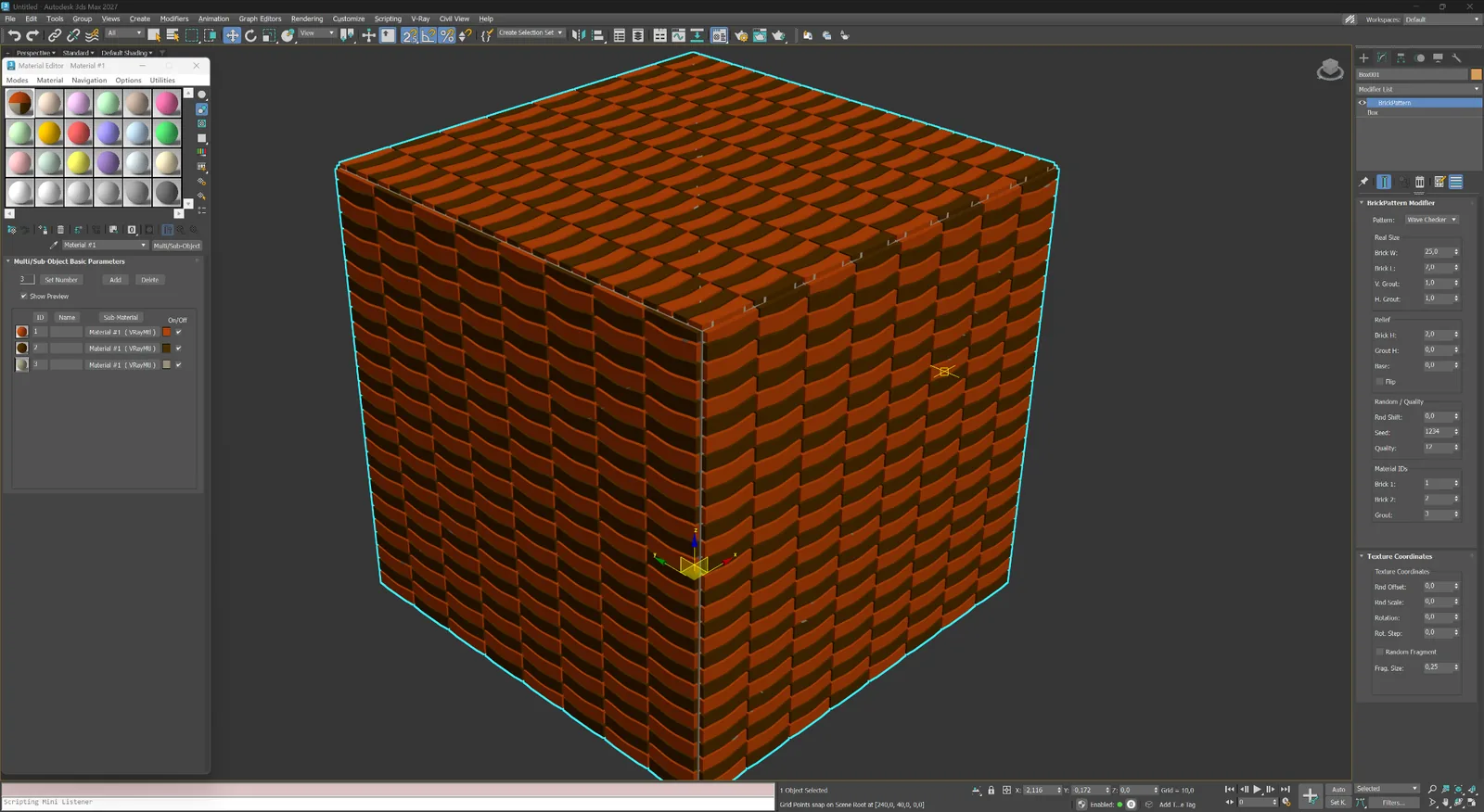
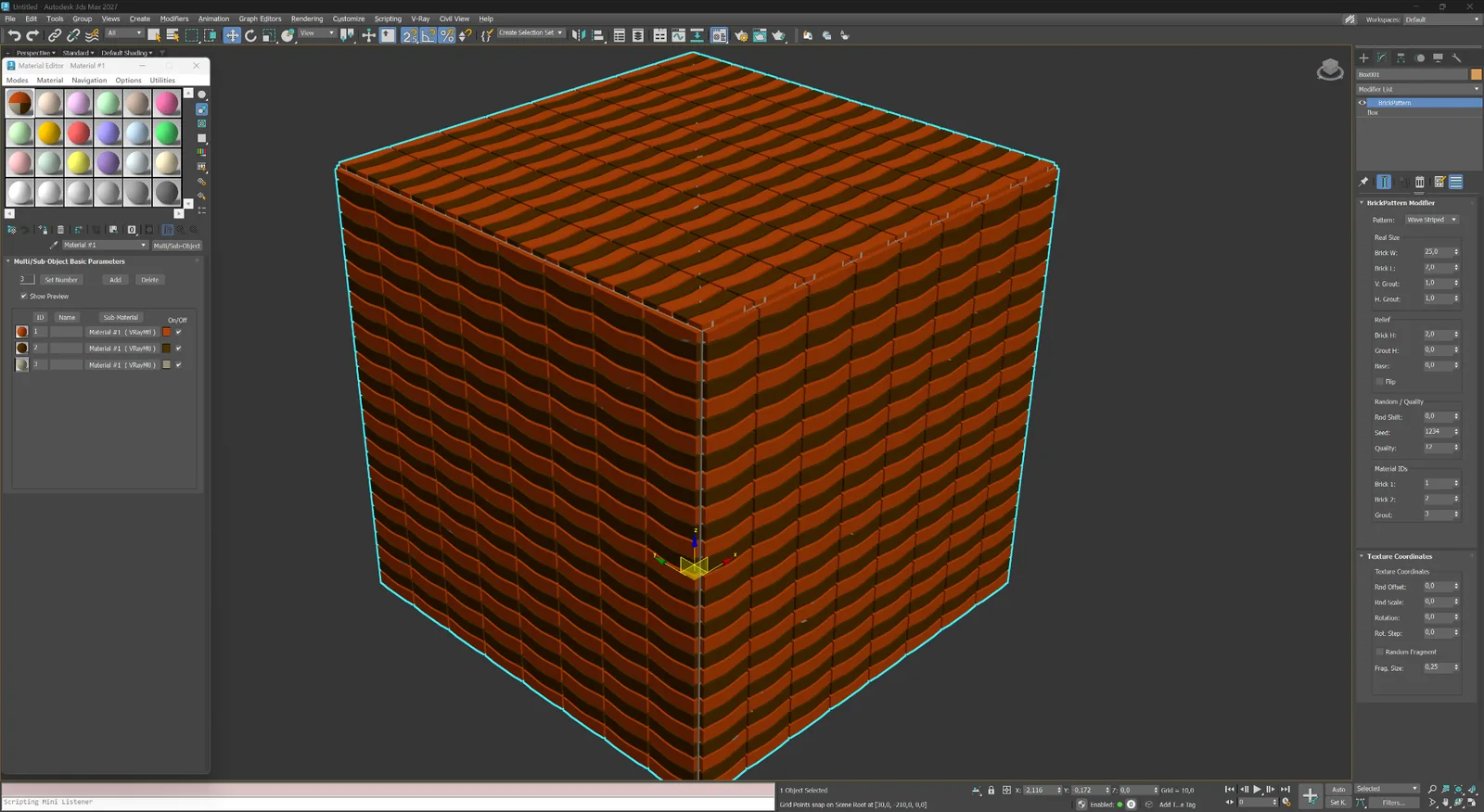
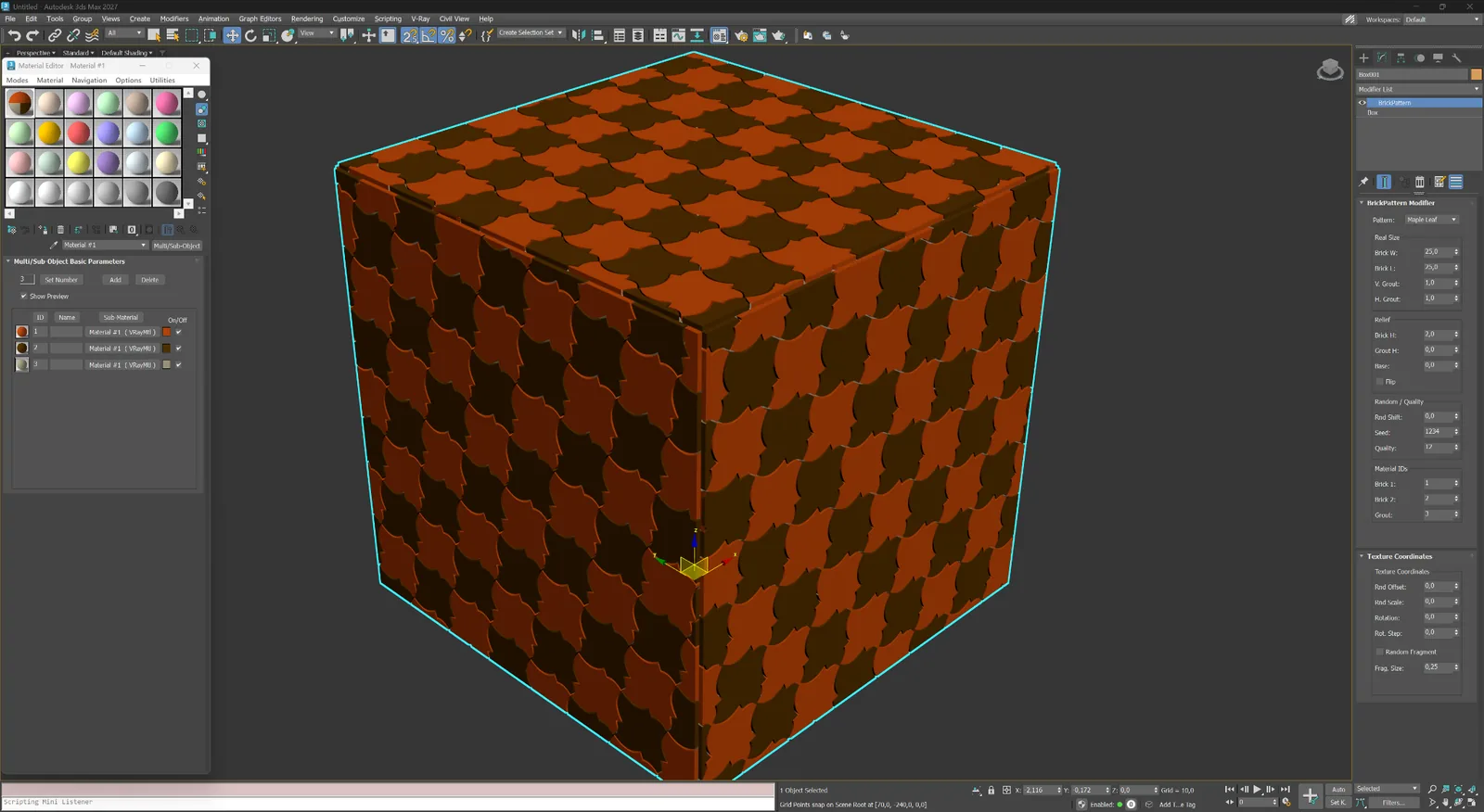
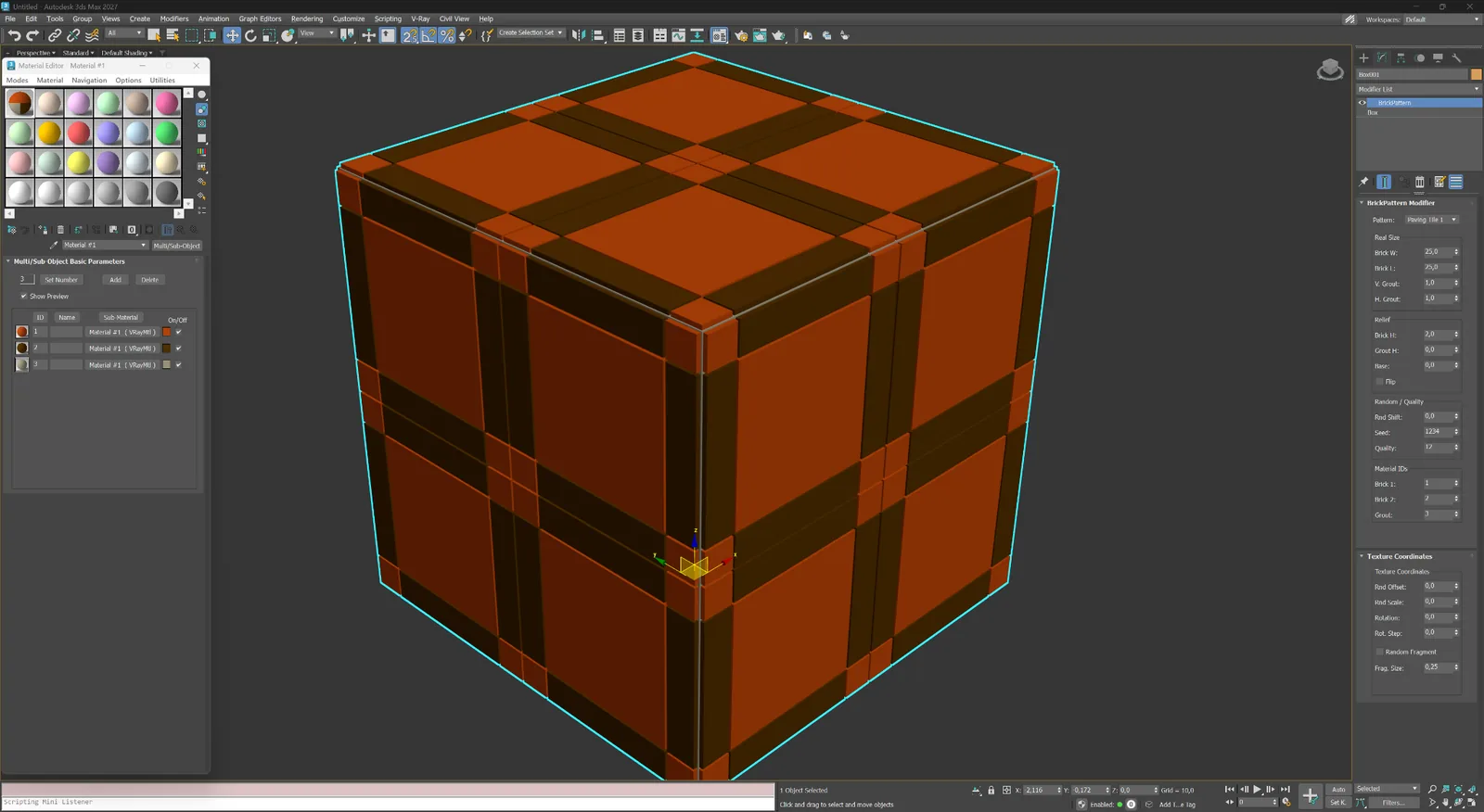
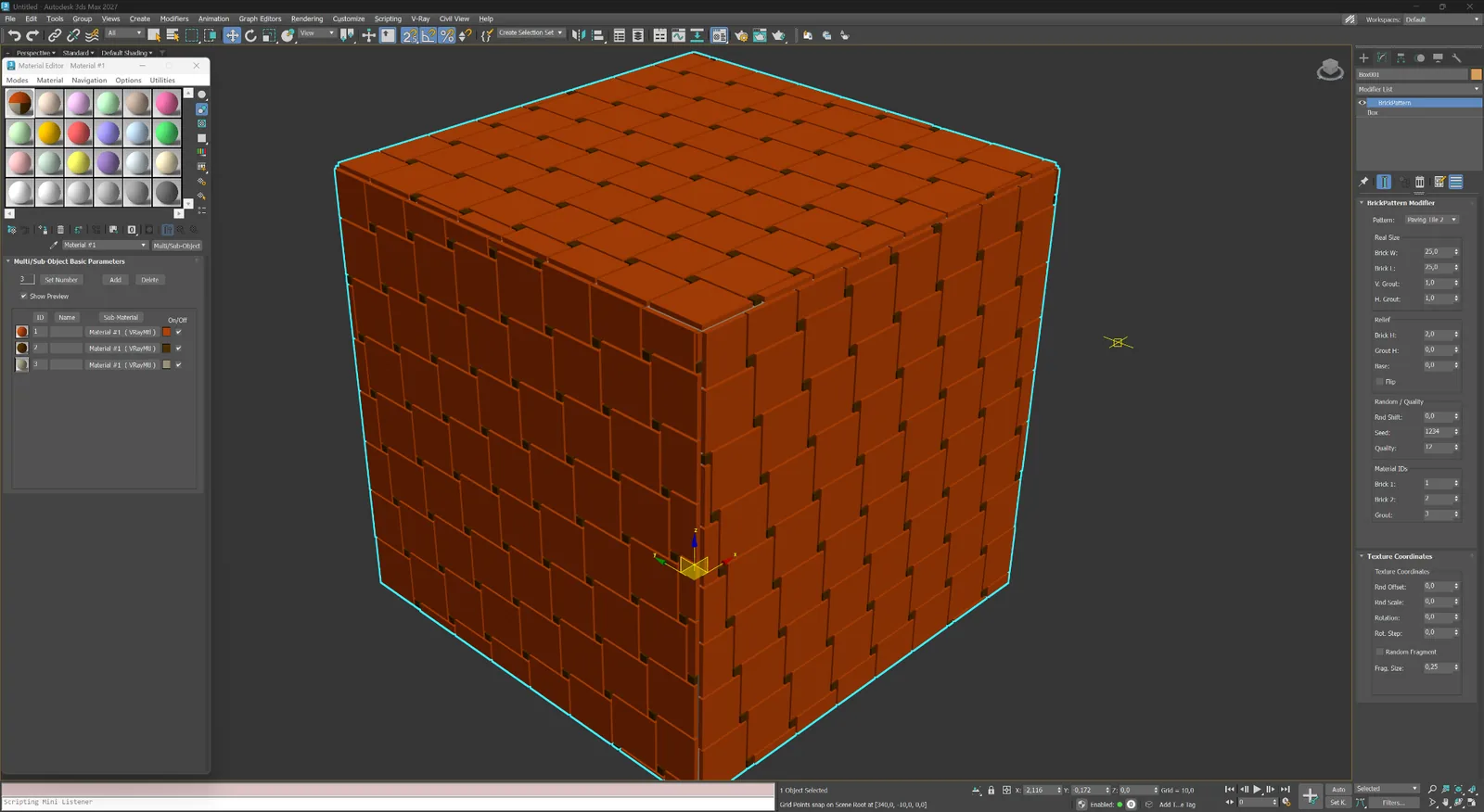
नीचे का हर उदाहरण Autodesk 3ds Max में modifier से बनाया गया है। geometry और parameter panel में सक्रिय pattern देखने के लिए किसी भी चित्र को खोलें।
ईंट-चिनाई पार्के और modular पेविंग और सजावटी Abstract और custom
01
ईंट फ़साड, दीवारों और ceramic cladding के लिए running, Flemish और stacked bonds।
ईंट-चिनाई
फ़साड, दीवारों और close-up masonry के लिए half-brick offset वाला classic running bond।
ईंट-चिनाई
लंबी और कम दोहराव वाली masonry rhythm के लिए one-third offset वाला running bond।
ईंट-चिनाई
पारंपरिक decorative brickwork के लिए stretcher और header का बारी-बारी से उपयोग।
ईंट-चिनाई
आधुनिक brick, tile और panel facades के लिए सटीक stacked grid।
02
फ़र्श, टाइल, पत्थर और decorative architectural panels के लिए directional और modular systems।
पार्के और modular
पार्के, टाइल, पत्थर और decorative cladding के लिए आपस में interlock होने वाले rectangular elements।
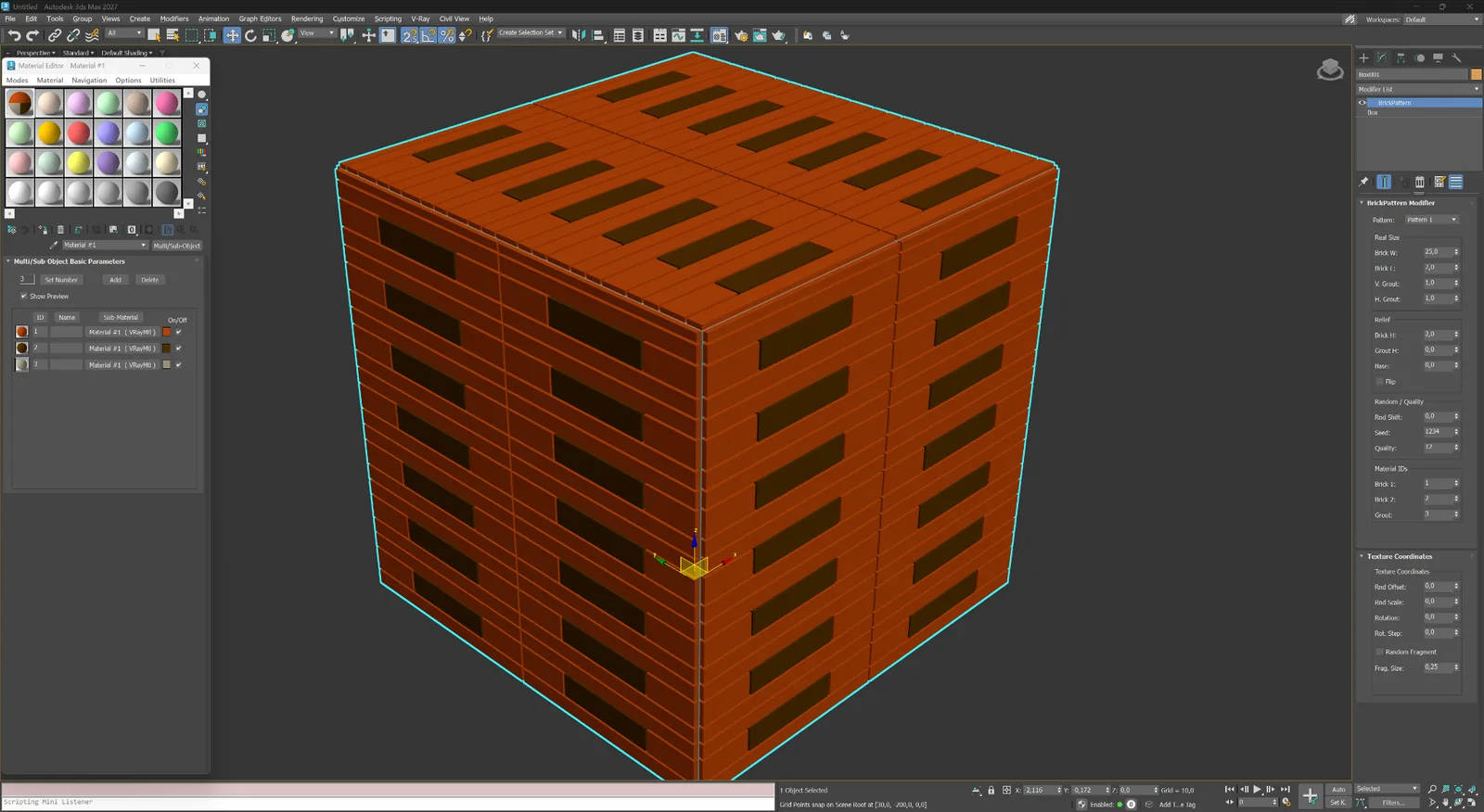
पार्के और modular
विशिष्ट फ़र्श, screens और architectural panels के लिए modular T-shaped layout।
पार्के और modular
नियंत्रित ashlar composition में व्यवस्थित मिश्रित rectangular modules।
पार्के और modular
तेज़ directional surfaces के लिए केंद्र अक्ष पर मिलने वाले angled elements।
पार्के और modular
ornamental floors और wall systems के लिए साफ़ geometric center वाले बड़े framed modules।
पार्के और modular
अभिव्यंजक parquet और panel compositions के लिए floral center वाले decorative framed modules।
03
लैंडस्केप और ornamental surfaces के लिए hexagonal, wave, leaf और framed tile systems।
पेविंग और सजावटी
पेविंग, ceramic tile और patterned facade systems के लिए दोहराए जाने वाले hexagonal modules।
पेविंग और सजावटी
बारी-बारी से आने वाले curved modules, जो सतह पर नरम checker rhythm बनाते हैं।
पेविंग और सजावटी
decorative paving और expressive interior surfaces के लिए लगातार wave bands।
पेविंग और सजावटी
ornamental pavement और custom tiles के लिए पत्ती के आकार का decorative module।
पेविंग और सजावटी
मज़बूत cross-joint geometry वाले बड़े framed paving modules।
पेविंग और सजावटी
compact corner inserts और नियमित repeat वाले rectangular tile modules।
04
स्क्रीन, feature panels और proprietary layouts के लिए गैर-मानक geometric प्रणालियाँ।
Abstract और custom
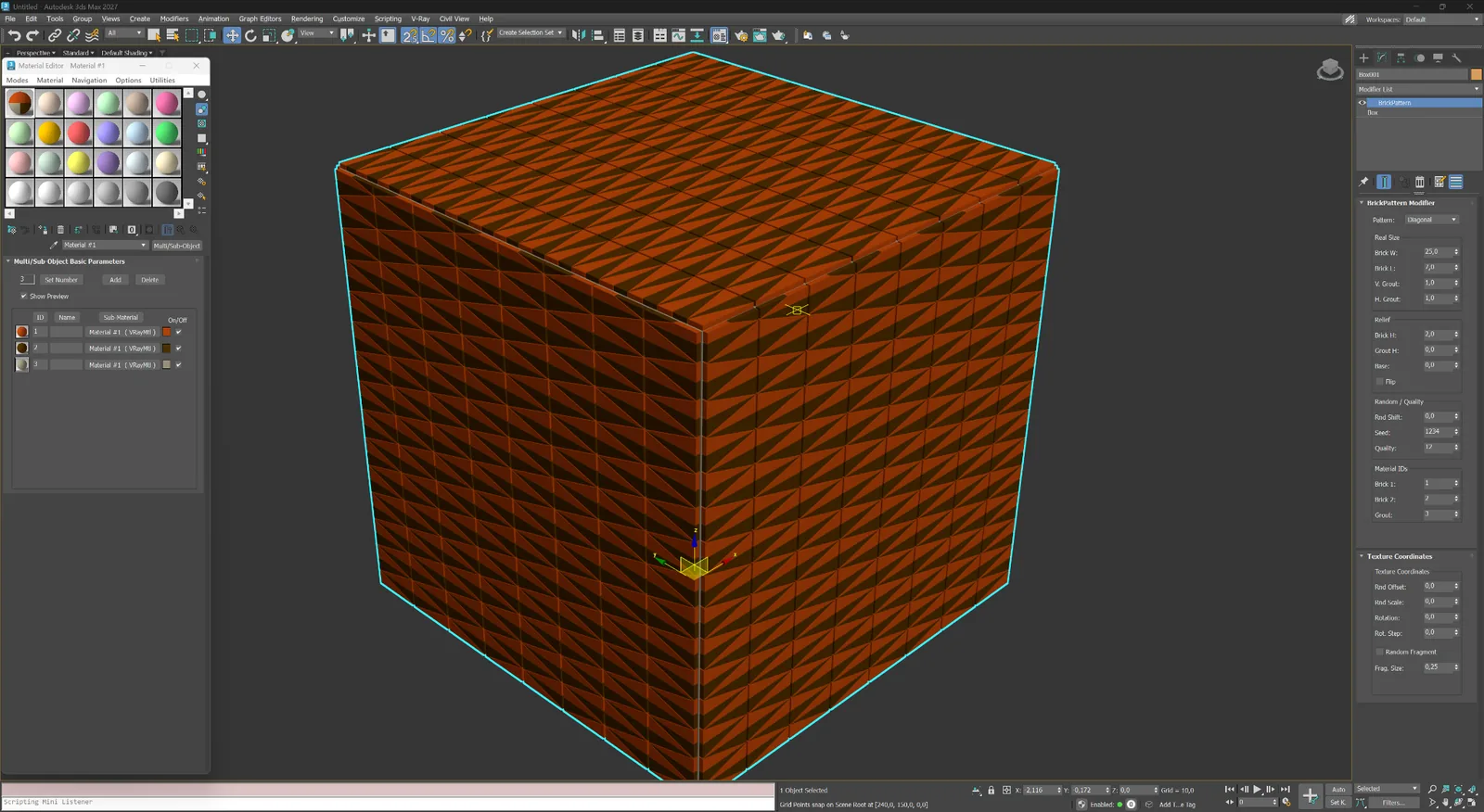
Experimental screens, panels और abstract surfaces के लिए घनी diagonal geometry।
Abstract और custom
गैर-मानक architectural compositions के लिए custom elongated module layout।
एक modifier, स्पष्ट controls
इंटरफ़ेस pattern selection और वास्तविक dimensions से लेकर relief, variation, Material IDs और texture coordinates तक क्रमबद्ध है। इससे बदलाव तेज़ और अनुमानित रहते हैं।
01
लेआउट चुनें और बाद में texture scale से क्षतिपूर्ति करने के बजाय वास्तविक इकाइयों में काम करें।
02
तत्व की चौड़ाई और ऊँचाई के साथ vertical और horizontal joints की चौड़ाई तय करें।
03
क्लोज़-अप में स्पष्ट geometry के लिए तत्व की ऊँचाई, grout depth, base thickness और edge bevel नियंत्रित करें।
04
प्राकृतिक variation और mesh density के संतुलन के लिए random shift, दोहराने योग्य seed और quality settings उपयोग करें।
05
दो element groups और grout को अलग-अलग IDs दें ताकि Multi/Sub-Object material तुरंत सेट किया जा सके।
06
modifier छोड़े बिना random offset, scale, rotation और fragment settings बदलें।
वर्कफ़्लो
Modifier जोड़ें, pattern चुनें, element dimensions और joint depth तय करें — mesh real time में update होता है। BricksPattern को अन्य modifiers के साथ stack किया जा सकता है, या geometry final होने पर static mesh में collapse किया जा सकता है।
01
Plane, wall segment या curved surface चुनें। Modifier सूची से BricksPattern जोड़ें। Plugin UV channel पढ़कर सतह को तुरंत brick layout में विभाजित करता है।
02
Pattern type, brick dimensions, joint width और joint depth बदलें। Seed controls से प्रत्येक element की height और size में variation जोड़ें। Modifier stack सक्रिय रहने तक सभी बदलाव non-destructive रहते हैं।
03
स्वचालित रूप से दिए गए Material IDs के साथ Multi/Sub-Object material लागू करें। V-Ray, Corona, Arnold या किसी अन्य renderer से render करें। वास्तविक geometry baking के बिना सही shadows और AO बनाती है।
BricksPattern vs BricksMap
एक scene में दोनों को साथ उपयोग करने पर सर्वोत्तम परिणाम मिलते हैं।
BricksPattern
BricksMap
लाइसेंसिंग
BricksPattern का अलग खरीद पृष्ठ है। भुगतान के बाद लाइसेंस आपके खाते में दिखाई देगा। वेबसाइट से ऑनलाइन या air-gapped वर्कस्टेशन के लिए ई-मेल द्वारा ऑफ़लाइन सक्रिय करें।