
00What Revit Server Guard is and why it is needed.
Revit Server Guard is an administrative and security layer for organizations that continue to use Autodesk Revit Server and need controlled, auditable, role-based access to BIM data stored on their own infrastructure.
The problem it solves
Standard Revit Server is effective for shared model collaboration, but it does not provide deep administration, granular permissions, discipline-level write control, trusted workstation binding, or a complete operational audit. In practice, BIM teams often rely on informal rules and manual supervision, which creates risks of accidental overwrites, unauthorized synchronization and loss of accountability.
Purpose of RSG
RSG converts Revit Server from a largely opaque file-collaboration service into a managed access-control environment. It formalizes who may read, write, synchronize, administer, back up and monitor specific project areas, while giving BIM managers and IT administrators one control panel for users, roles, projects, disciplines and server versions.
How the system works
The solution combines the RSG Admin Panel, a .NET API service, local SQLite configuration databases and the RSG.NetTcpProxy gateway. Because Revit Server synchronizes through net.tcp traffic, the proxy is placed between Revit clients and the real Revit Server endpoint. It reads request metadata, identifies the user, workstation and target model, checks the current policy and only then forwards the approved request.
Access model
Instead of granting access only to an entire project, RSG binds project folders to documentation sections and disciplines. Roles can then receive read-only or read/write permissions for specific areas such as architecture, structures, MEP, life safety, shop drawings or local company standards. This protects adjacent disciplines from accidental modification and makes responsibility explicit.
Main functional areas
- Users: trusted identity registry with login, workstation, IP, license state and connection history.
- Projects: synchronization with the real Revit Server catalogue, project folder structure and section bindings.
- Roles: visual permission matrix for read and read/write access across disciplines and stages.
- RS Servers: gateway configuration, protected Revit Server versions, port routing and proxy telemetry.
- Backups: scheduled project backup management with status monitoring for Revit Server data.
- Audit and statistics: live event stream, PDF/XLSX export and activity analytics for managers and security teams.
The practical result is lower operational risk, clearer responsibility between disciplines, faster incident investigation and a safer on-premise BIM environment for organizations that cannot or do not want to move project data to an external cloud.
00Numbered interface documentation instead of decorative illustrations.
All previous decorative images on this documentation page were removed. The new content focuses on the actual RSG Admin Panel: navigation, catalogues, permission matrices, Revit Server gateways, backups, audit, statistics and configuration.
Each image is followed by a compact two-column table: the callout number and the description of the corresponding interface element. The JavaScript renderer selects the current locale and inserts only one language version into the page.
01Dashboard
Overview dashboard and global navigation
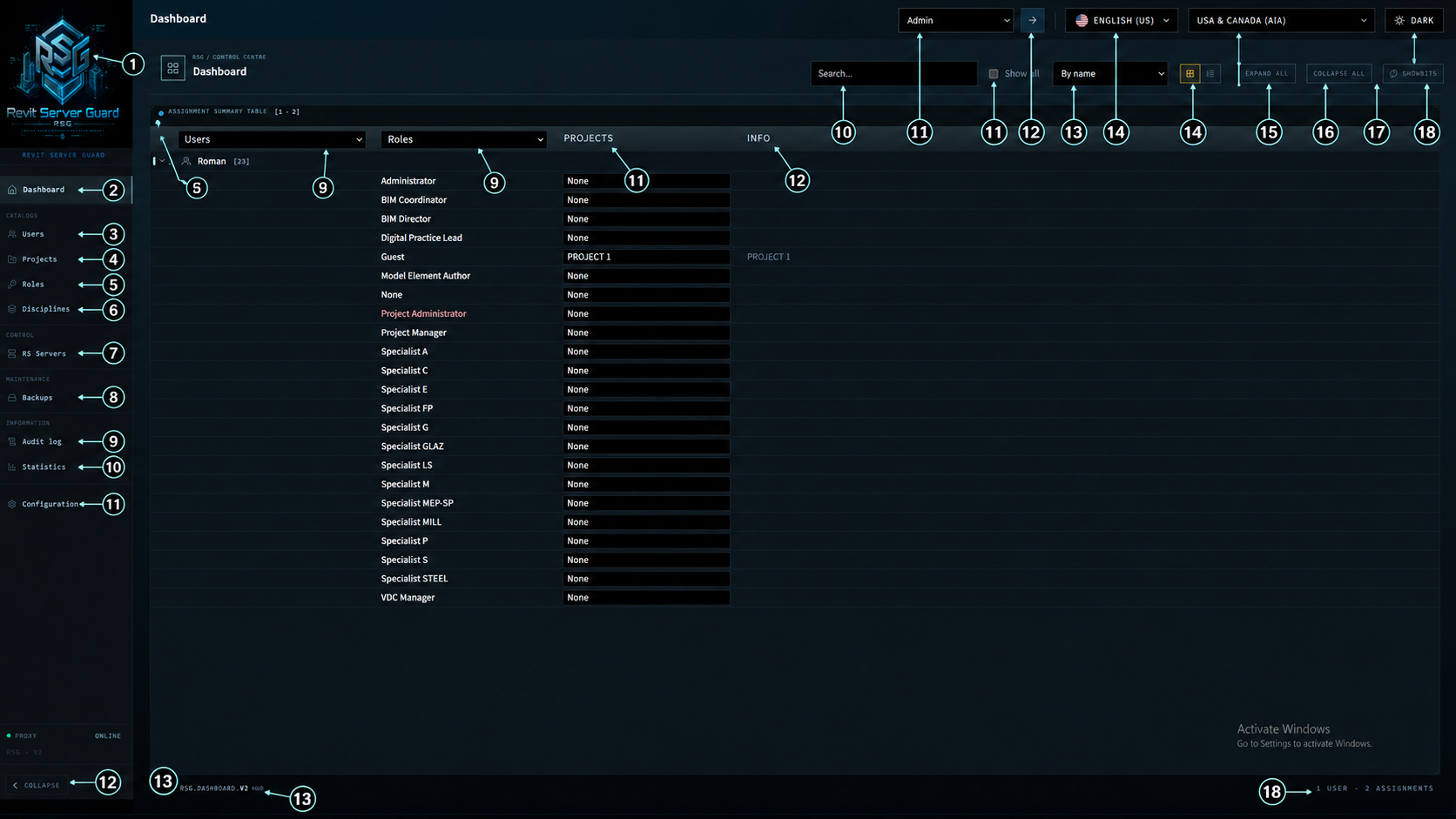
| No. | Element description |
|---|
02Users
User registry, access summary and role assignment panels
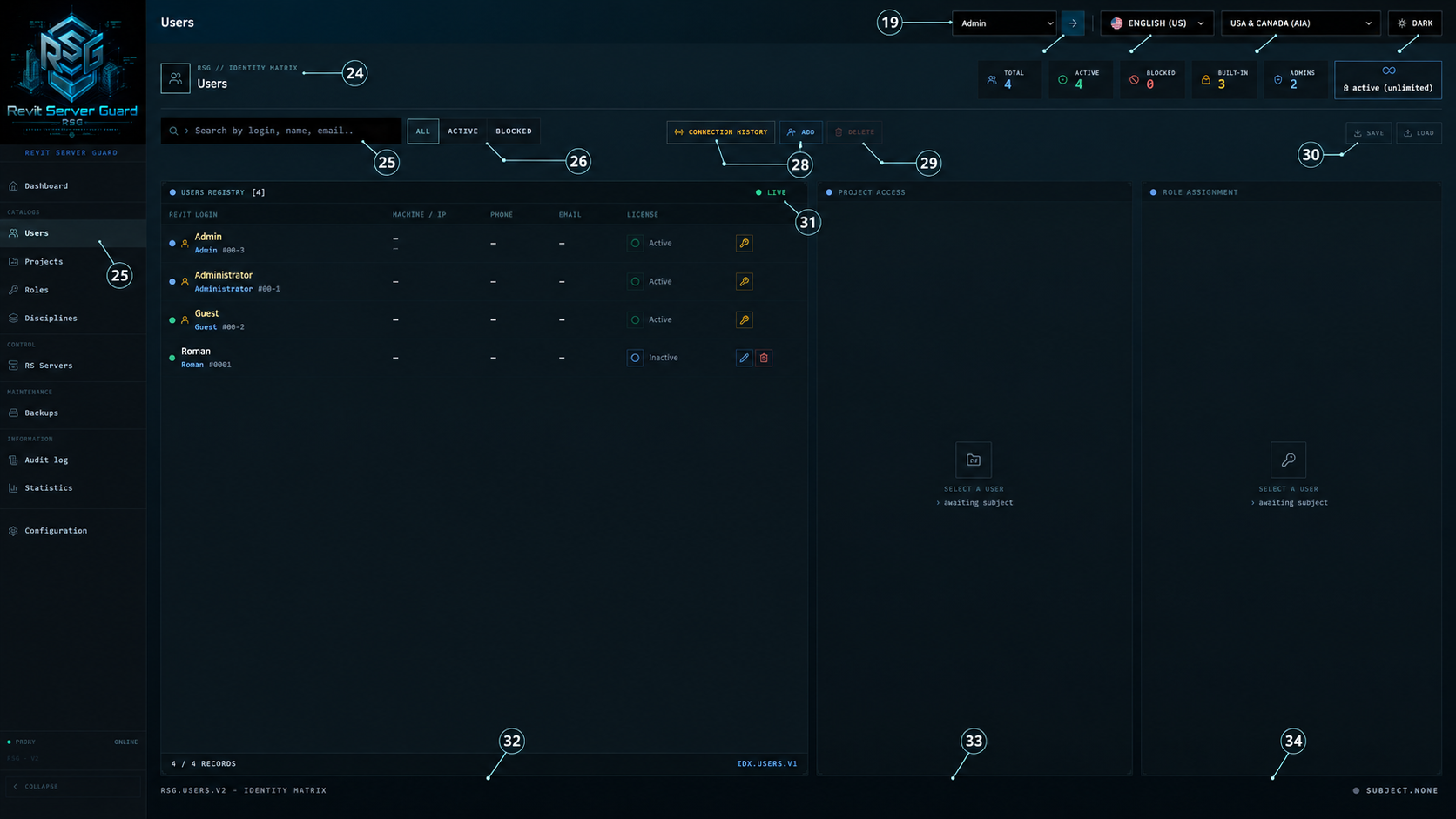
| No. | Element description |
|---|
03Projects
Project catalogue, folder structure, section bindings and user access
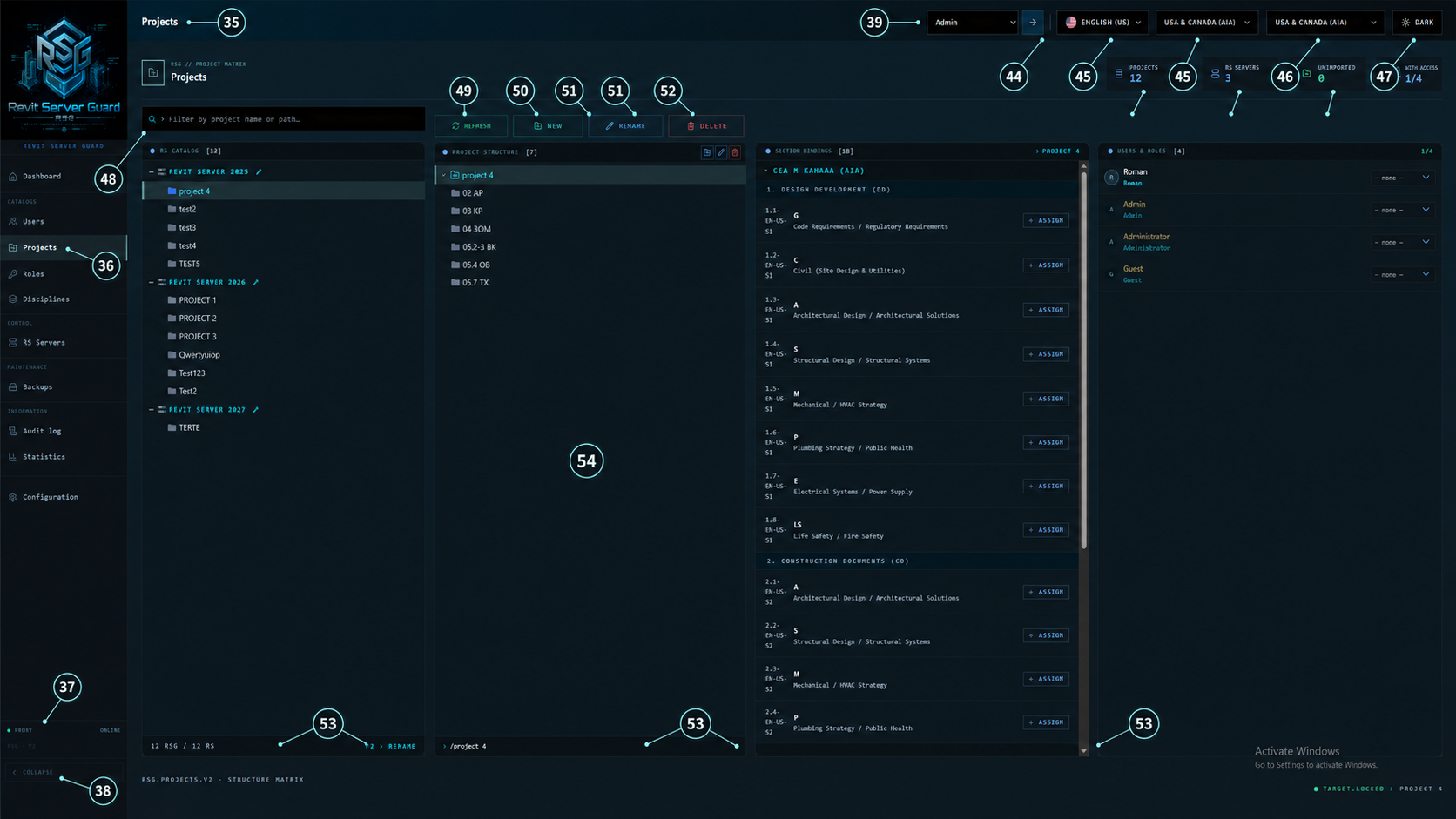
| No. | Element description |
|---|
04Roles
Role matrix for read/read-write permissions across disciplines and stages
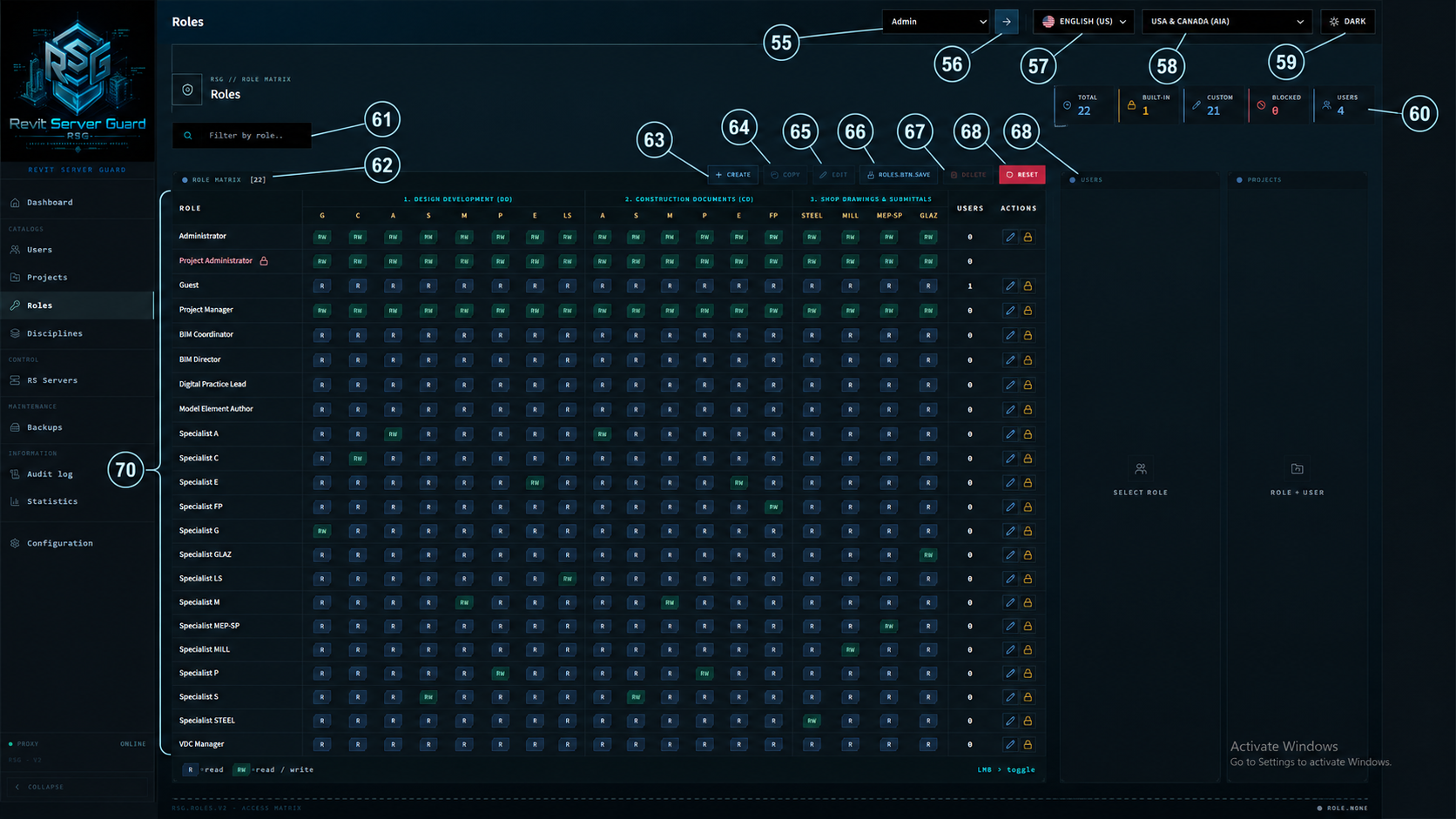
| No. | Element description |
|---|
05Disciplines
Discipline catalogue, project structure mapping and access roster
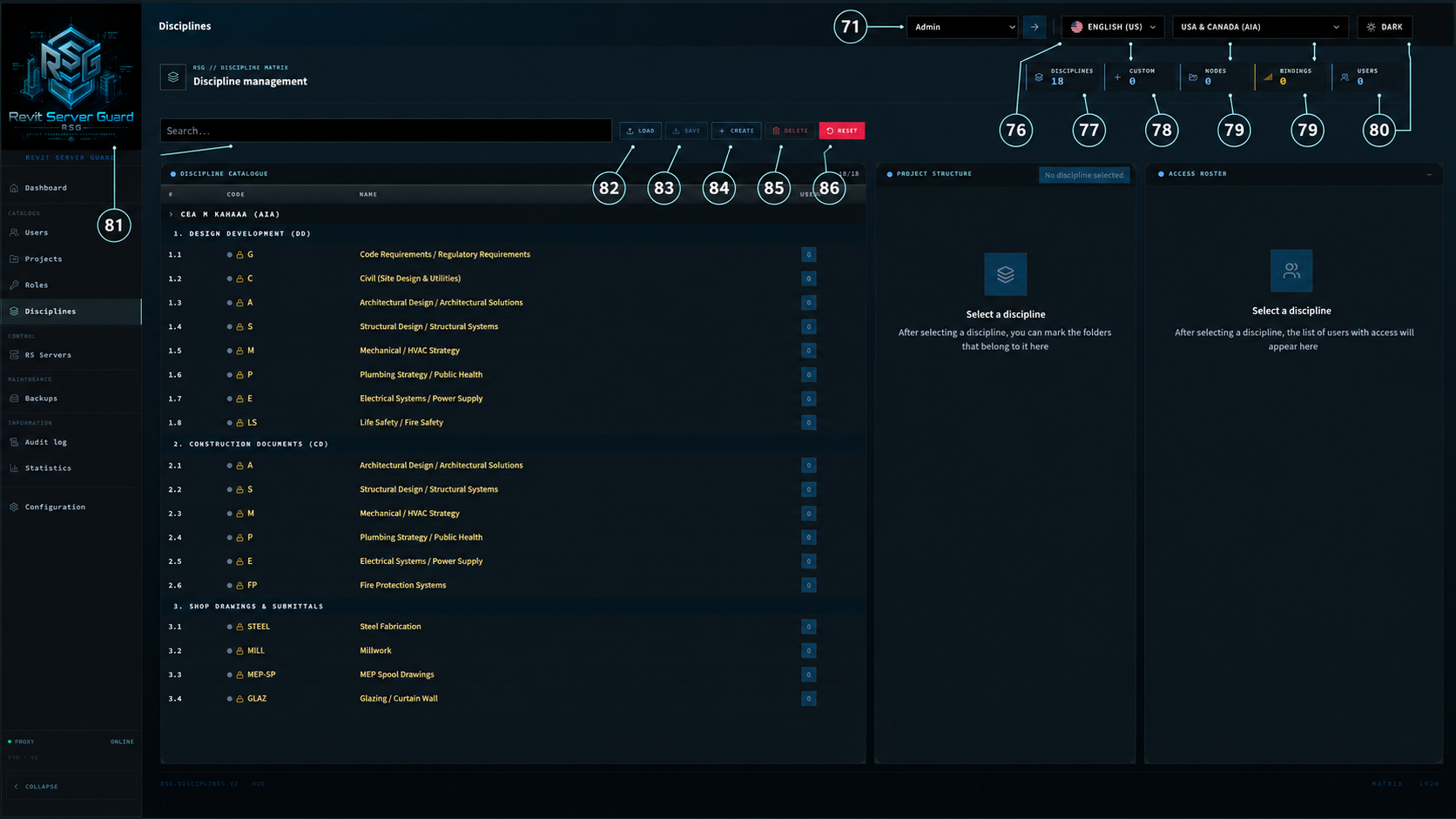
| No. | Element description |
|---|
06RS Servers
Gateway, proxy and Revit Server protection matrix controls
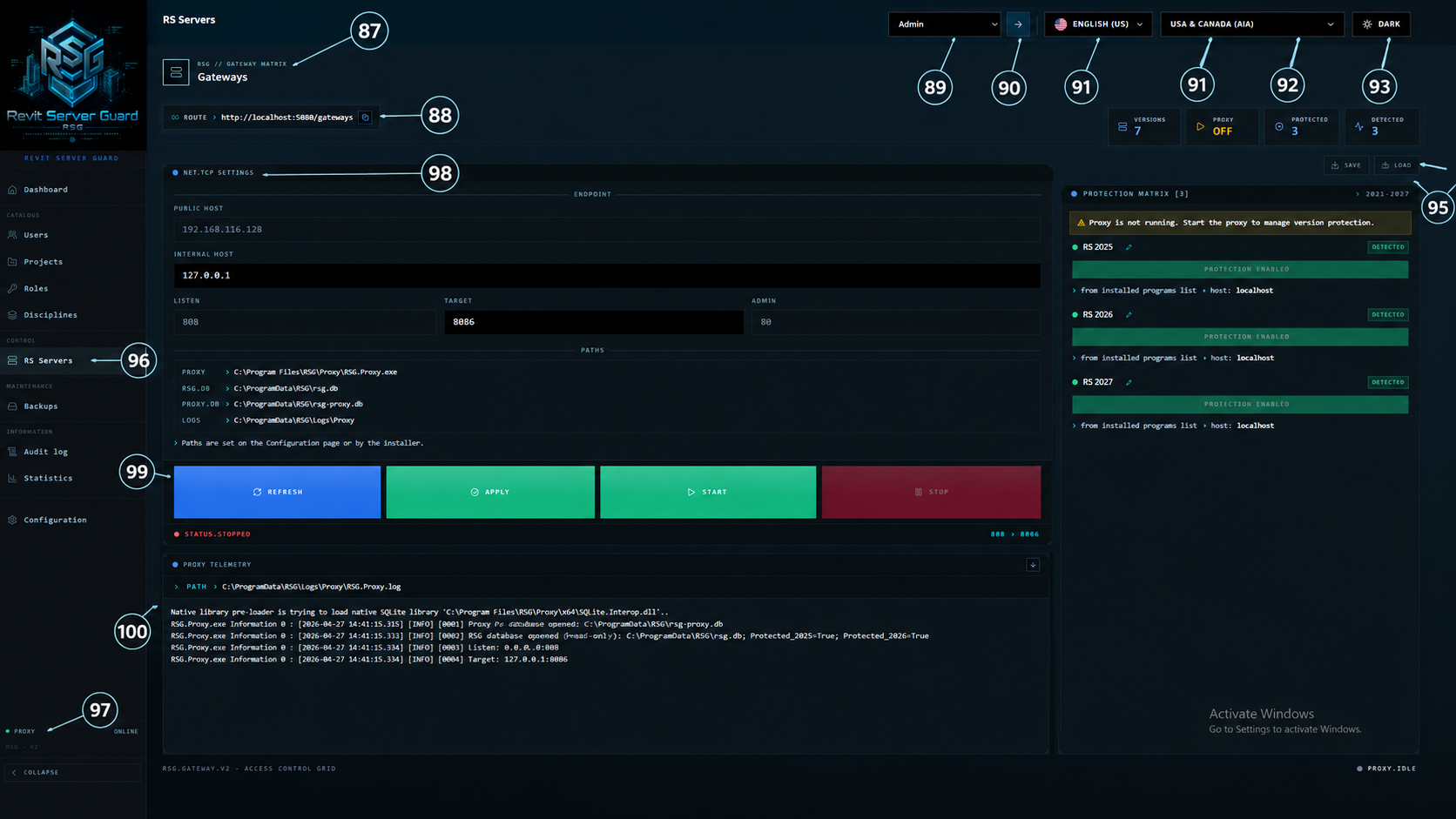
| No. | Element description |
|---|
07Backups
Backup jobs, schedules, destinations and backup telemetry
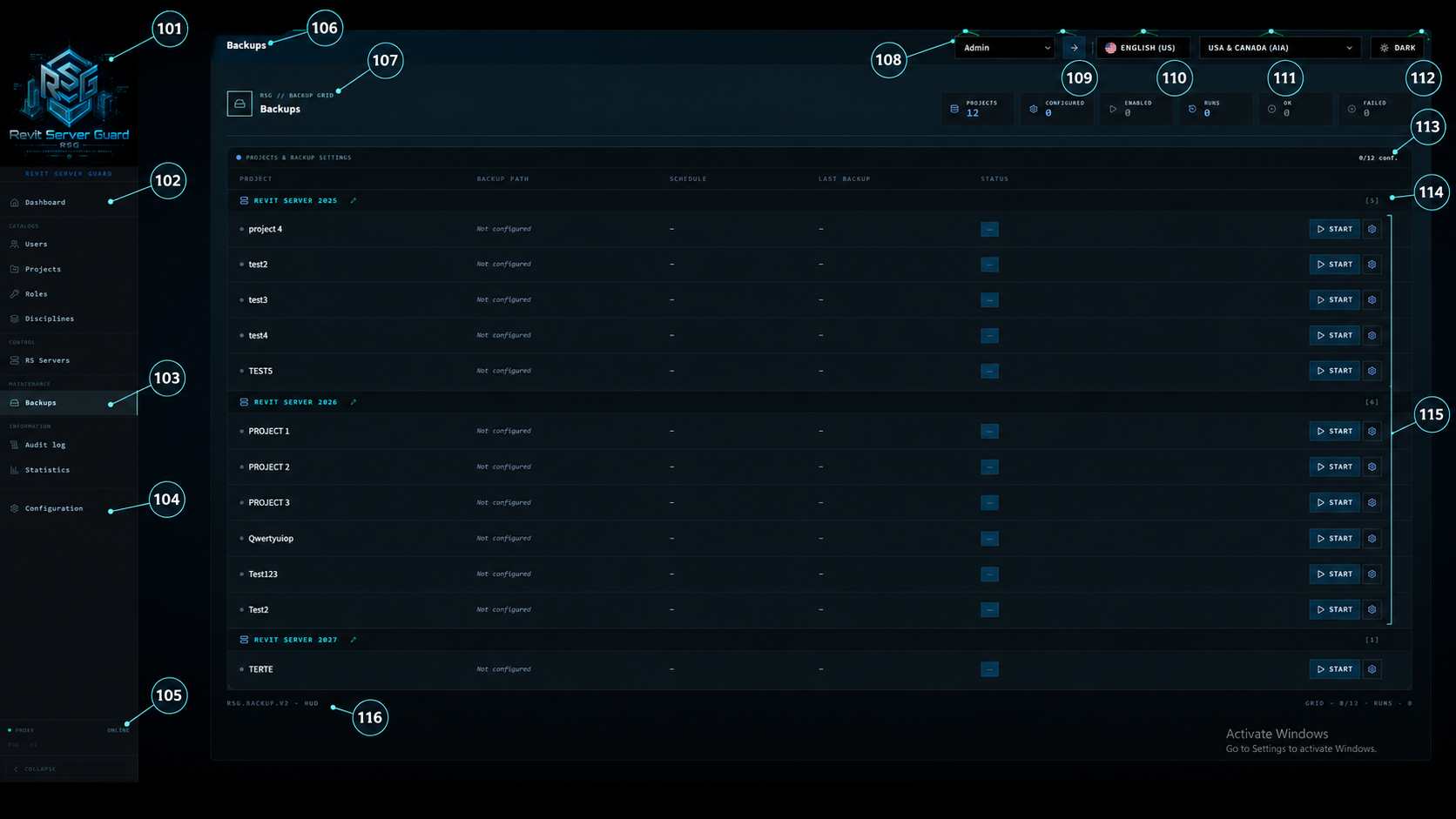
| No. | Element description |
|---|
08Audit Log
Audit filtering, action history and event search controls
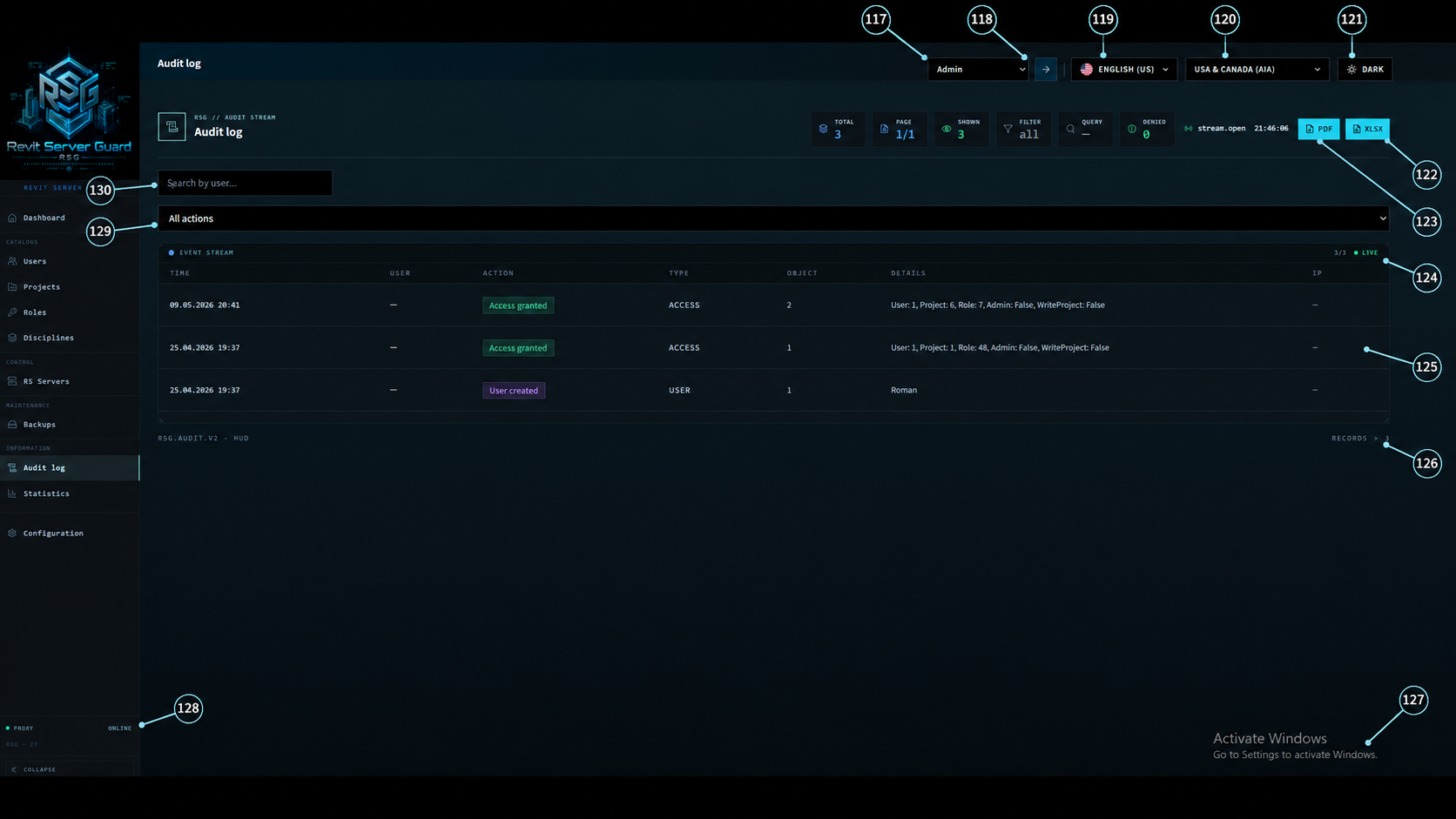
| No. | Element description |
|---|
09Statistics
Activity analytics, KPIs and distribution panels
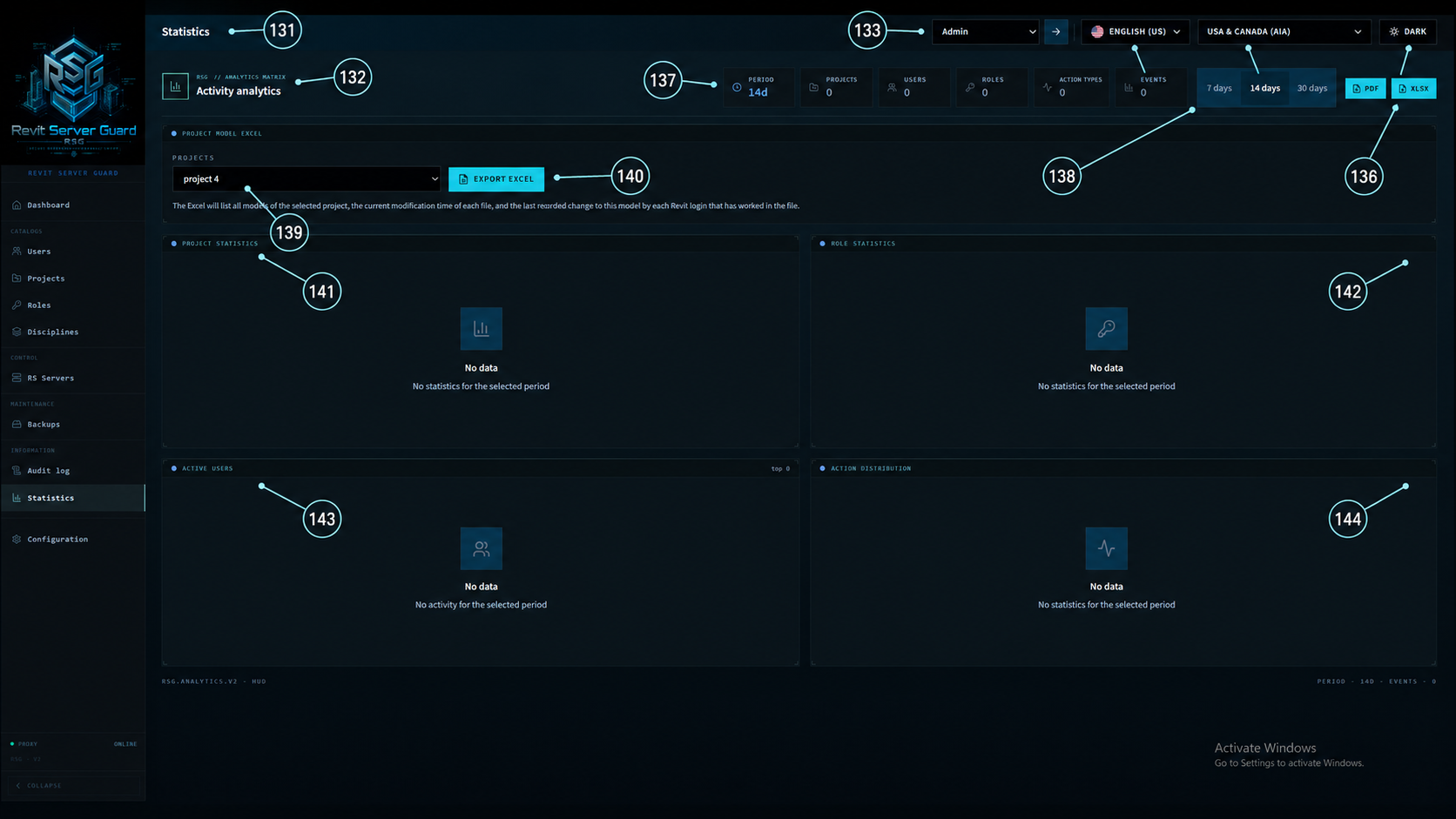
| No. | Element description |
|---|
10Configuration
System configuration, license controls, paths, branding and account security
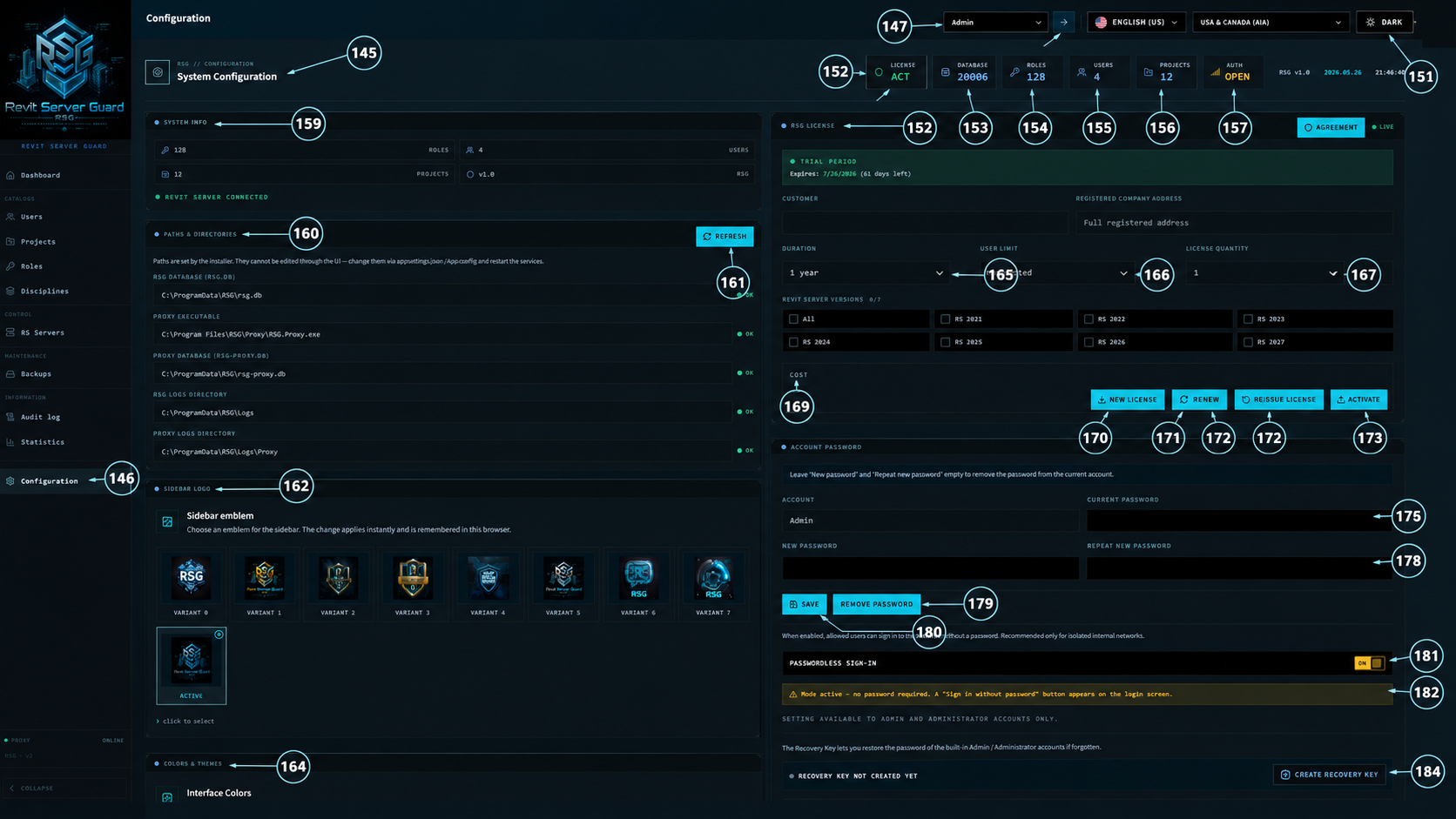
| No. | Element description |
|---|